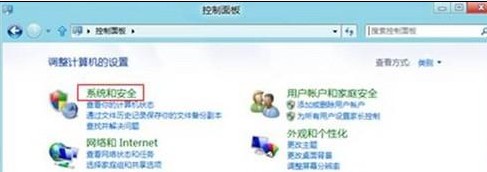
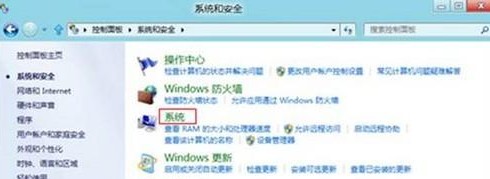
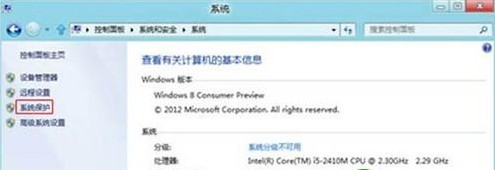
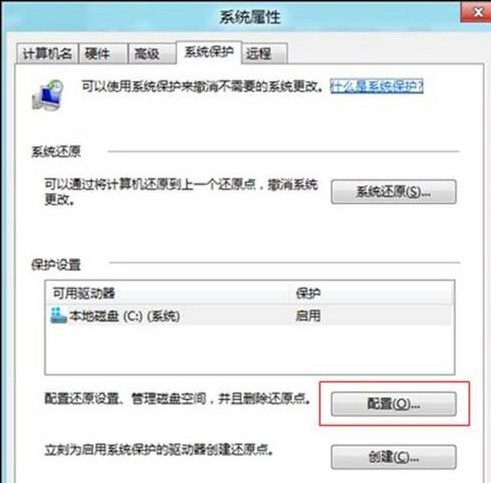
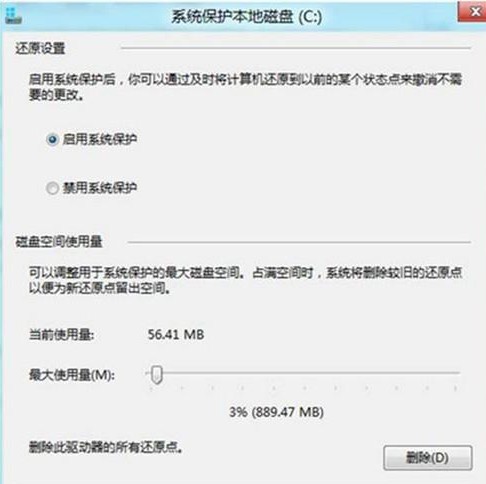
系統保護設定介面可檢視目前還原點佔用磁碟空間,並調整最大使用量限制。
Windows 8 封鎖內建應用程式廣告:修改 hosts 檔案一勞永逸
Win8 開機 CPU 高佔用、硬碟燈狂閃的解決方案
Windows 8.1 新增語言與鍵盤版面完整教學:下載語言包、切換輸入法、同步設定
升級 Win8.1 後黑屏/藍屏?三大顯卡驅動修復方案:安全模式卸載、預先卸載、DDU 工具
Win8.1 連線隱藏 SSID 無線網路:工作列網路圖示 → 隱藏網路 → 輸入 SSID 與密碼
Windows 命令提示字元預設視窗大小與緩衝區修改:註冊表 WindowSize/ScreenBufferSize 十六進位對應、快速設定指令
Win8.1 一鍵永久刪除檔案不進資源回收筒:資源管理器工具列加入「永久刪除」按鈕
Windows 8 PIN 碼建立與登入教學