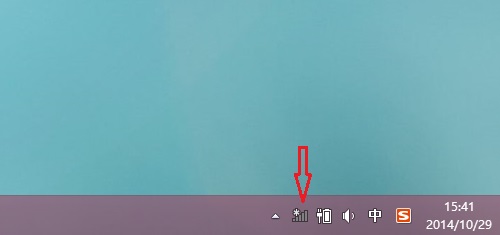
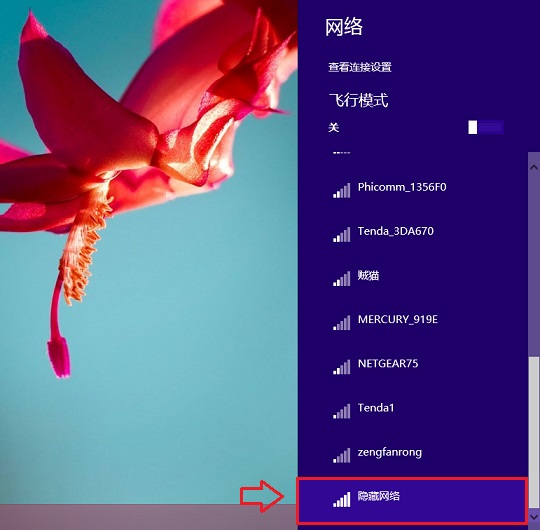
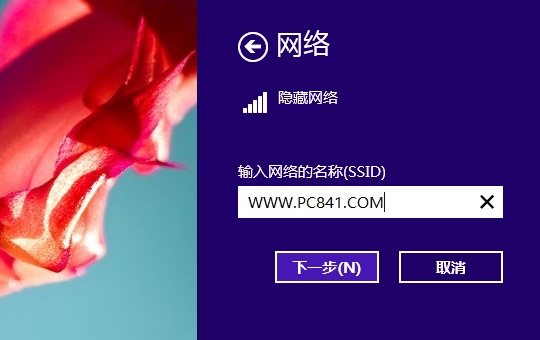
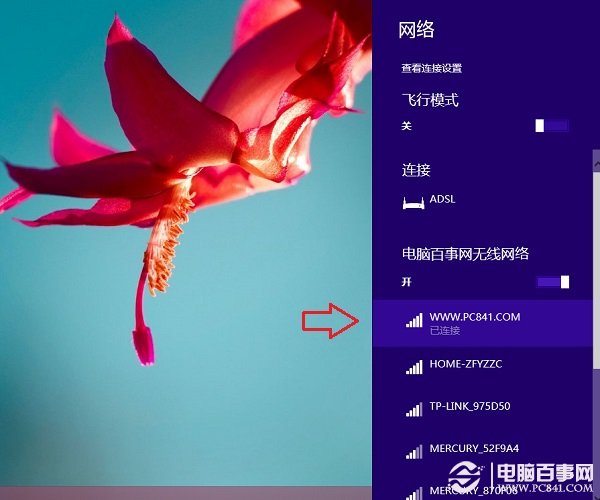
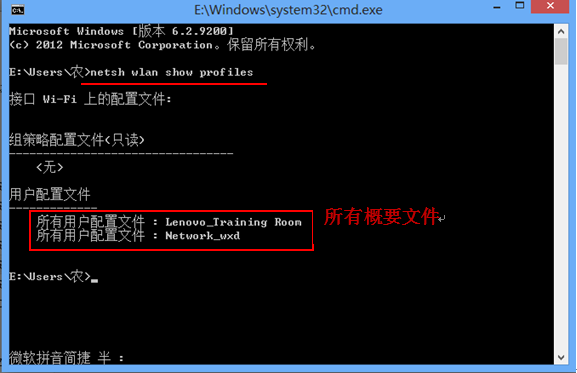
適用 Win8/8.1/10,隱藏 SSID 後同樣可手動連線,提升無線安全性。
MT4 在 Win8 下無法加載自定義指標?實為虛擬存儲重定向,用戶目錄下找到真實數據目錄即解
Win8 Metro 應用閃退解決方案:重裝閃退應用、wsreset 清除商店快取、PowerShell 重註冊商店、建立新管理員帳號
Windows 8 iSCSI 啟動器設定與使用指南
Win8 升級 Win10 精簡教學:下載對應位元 ISO、解壓執行 Setup、選擇不保留設定、完成安裝
Win8.1 F12Resources.dll 是病毒嗎?勿刪除!誤刪導致 IE 開發工具空白修復法
Windows 8 任務管理器完整指南:啟動方式、進程管理、效能監視與資源監視器深度解析
Windows 8 設定自動登入:兩種方法免輸入密碼
Windows 8 共用檔案失敗怎麼辦?工作群組、密碼保護、進階共用、防火牆四步驟完整設定