Windows 8.1 可在工作列直接顯示現代應用程式商店應用程式圖示,方便快速切換。提供兩種設定入口:
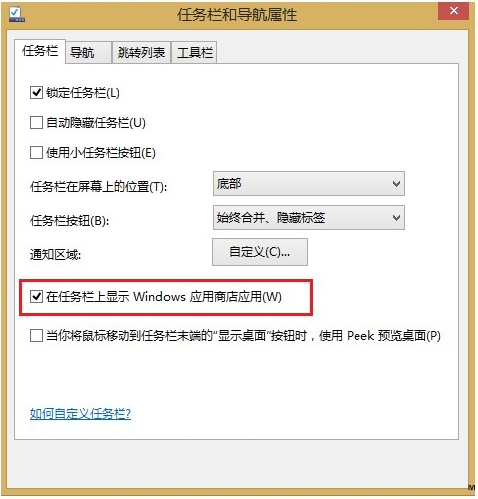
方案一:工作列屬性
- 桌面工作列右鍵 → 「內容」。
- 「工作列」索引標籤 → 勾選「在工作列上顯示 Windows 應用程式商店應用程式」 → 「確定」。
方案二:電腦設定 (現代介面)
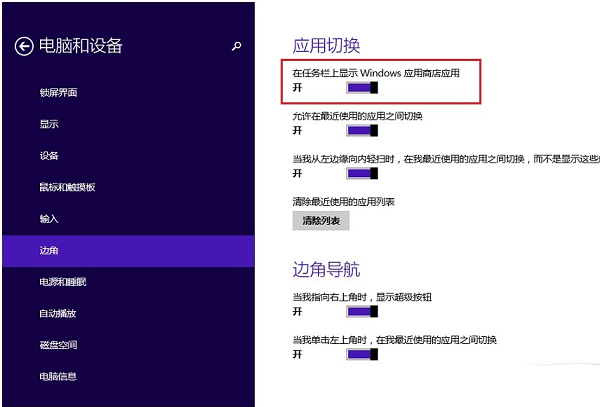
- Charms 列 → 「設定」→ 「變更電腦設定」→ 「電腦和裝置」→ 「邊角」。
- 開啟「在工作列上顯示 Windows 應用程式商店應用程式」。
效果
設定後,工作列會顯示目前執行中現代應用程式的圖示,點選即可快速切換,無需返回開始畫面。