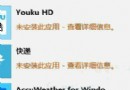
Win8 SmartScreen 攔截未簽名 .exe 導致課件無法播放,繞過步驟:
.exe
原因:Win8 強化 SmartScreen 信譽機制,無數位簽名的 .exe 預設阻擋。教學類 .exe 多為舊版授權課件,無簽名屬正常。若頻繁遇到,可在「控制面板」→「系統和安全」→「操作中心」→「更改 Windows SmartScreen 設置」降低防護等級(不建議完全關閉)。
Windows 8.1 電源管理模式完整優化指南:平衡/省電/高效能/自訂四模式深度解析與進階設定
Win8.1 藍牙裝置配對連線完整教學:從開啟藍牙到新增裝置
Windows 8 設定自動登入略過密碼輸入
Windows 8 修改 hosts 檔案無法儲存?權限設定解決唯讀問題
Windows 8 內建錄音機使用教學:三種開啟方式與 F1 說明已知問題
Windows 8.1 升級後桌面黑屏解決方案:Intel+AMD 雙顯卡驅動衝突,安全模式卸載顯卡驅動
Win 8 設定靜態 IP 失敗排解:網卡驅動重裝、TCP/IP 協定重置、Netsh 指令修復
Win8.1 IE11 兼容性問題四大解決妙招:信任站點/兼容視圖/保護模式/GPU加速