Windows XP Windows 7 Windows 2003 Windows Vista Windows 綜合教學 Linux 系統教學
Windows 10 Windows 8 Windows 2008 Windows NT Windows Server 電腦軟體教學

Flash Player 更新後無法載入 註冊 OCX 組件修復法

編輯:Win8 系統應用技巧

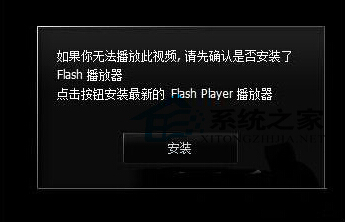
Flash Player 更新後瀏覽器無法載入 Flash 內容,常因 ActiveX 控制項 (Flash.ocx) 註冊失敗或版本不匹配。以管理員身分重新註冊 32/64 位元 OCX 即可修復。

修復指令

  1. Win+X → 「命令提示字元 (系統管理員)」。
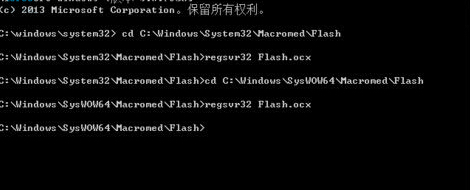
  2. 依序執行 (每行執行後按 Enter):
    cd C:\Windows\System32\Macromed\Flash
    regsvr32 Flash.ocx
    cd C:\Windows\SysWOW64\Macromed\Flash
    regsvr32 Flash.ocx
  3. 出現「DllRegisterServer 成功」對話框即代表註冊成功。
  4. 重新開機,瀏覽器 Flash 功能恢復正常。

歷史背景與現狀

  • Adobe Flash Player 於 2020/12/31 正式停止支援與發佈,所有主流瀏覽器已移除 Flash 支援。
  • 此修復法僅適用於維護舊版系統/內部舊系統相容性測試場景。
  • 現代替代:Ruffle (Rust 寫入 Flash 模擬器)、Lightspark、瀏覽器擴充套件模擬器。

重新註冊 Flash.ocx 修復更新後載入失效,適用舊系統維護場景。

Copyright © Windows教程網 All Rights Reserved