Win8 專業版/企業版可透過群組原則限制系統保留頻寬比例(預設 80%),釋放更多頻寬給使用者應用,或反向限制特定電腦上傳/下載速度。以下為標準設定流程。
設定步驟
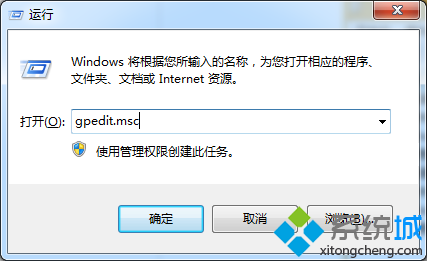
- 右鍵開始按鈕 → 「搜尋」→ 輸入
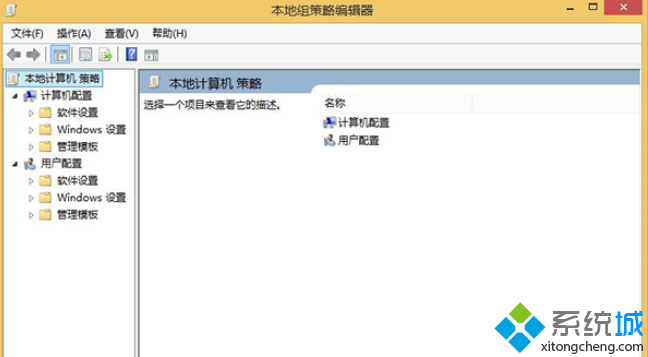
gpedit.msc → 開啟「本機群組原則編輯器」。
- 依序展開:
「電腦設定」→「管理範本」→「網路」→「QoS 封包排程器」。
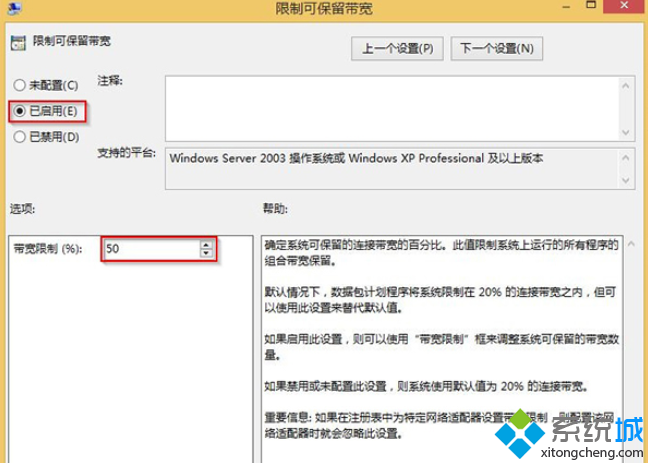
- 雙擊右側「限制可保留頻寬」。
- 選擇「已啟用」,「頻寬限制」輸入百分比數值(0-100):
- 0:系統不保留頻寬,使用者可佔用 100%。
- 20:系統保留 20%,使用者可用 80%(預設反向)。
- 50:雙方各半,適合伺服器/共享環境。
- 確定 → 重新開機或執行
gpupdate /force 生效。
注意事項
- 僅影響 Windows 內建 QoS 排程器管控的流量(Windows Update、BITS、BranchCache 等),不影響一般瀏覽/下載軟體/串流。
- 家用版無
gpedit.msc,需透過登錄機碼 HKEY_LOCAL_MACHINE\SOFTWARE\Policies\Microsoft\Windows\Psched 設定 NonBestEffortLimit (DWORD, 0-100)。
- 若需針對特定應用/裝置限速,建議使用路由器 QoS 或第三方流量整形工具。
善用群組原則,精準掌控系統保留頻寬比例。