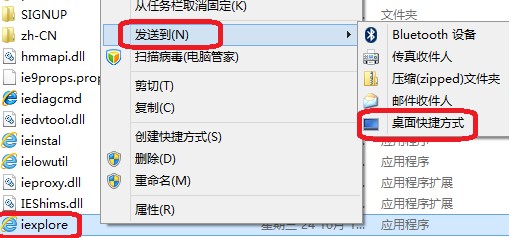
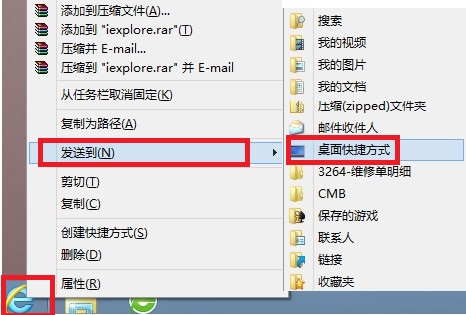
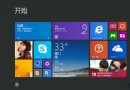
Windows 8 桌面預設不顯示 IE10 圖示,若習慣從桌面啟動瀏覽器,可用以下兩種方式建立捷徑:
C:\Program Files\Internet Explorer
C:\Program Files (x86)\Internet Explorer
iexplore.exe
兩種方法皆可在桌面建立 IE10 捷徑,方便隨時啟動桌面版瀏覽器。
Win8 內建行事曆同步 Google Calendar:加入 Google 帳號雙向同步行程
Win8 啟用「休眠」選項:gpedit.msc 開啟群組原則,啟用「在電源選項功能表中顯示休眠」
Win8 關機自動清除動態磚通知與歷史紀錄:群組原則保護隱私防側錄
Win8 快速查看檔案詳細資訊:啟用「詳細資訊窗格」
Windows 8 開發者預覽版安裝與移除實測心得:一鍵還原救命、量產 USB 終極大法
Windows 8 自訂資料夾圖示顯示特定圖片縮圖
Windows 8 進入控制台 5 大方法:執行指令、桌面圖示、電腦設定、所有應用、搜尋、Win+X 選單
Windows 8 應用商店下載卡住「掛起」解決方案:清理快取資料夾