Windows 8 內建「行事曆」應用支援 Google 帳號整合,新增 Google 帳號後,行程新增/修改/刪除雙向即時同步,免去雙平台切換困擾。本文五步驟完成設定。
設定步驟
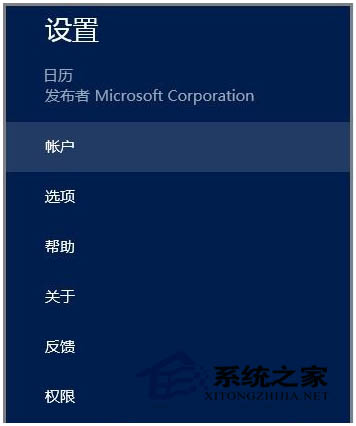
- 開啟開始畫面「行事曆」應用 → 魅力列 →「設定」。
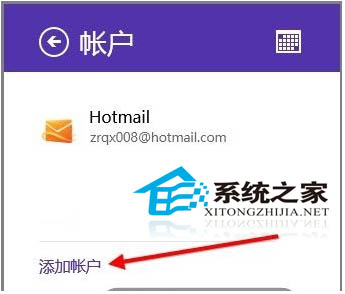
- 選擇「帳號」→「新增帳號」。
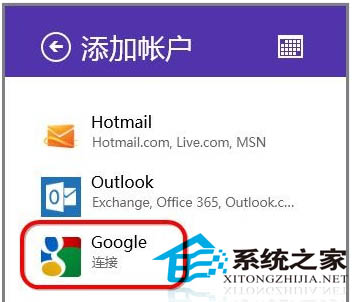
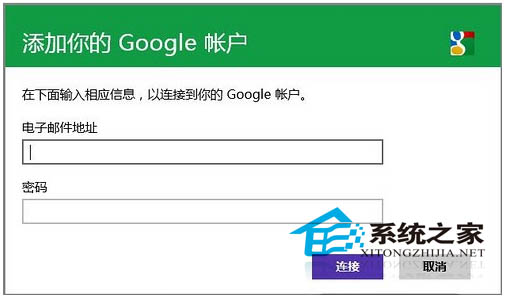
- 選擇「Google」→ 輸入 Google 帳號密碼 →「連線」。
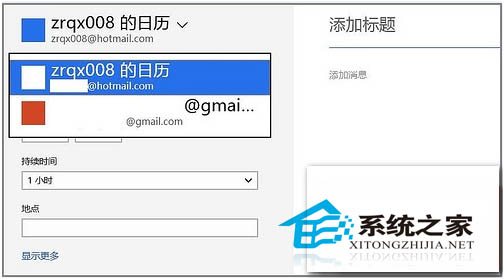
- 新增行程時,下拉選單選擇「Google」帳號 → 存檔,即同步至 Google Calendar。
同步特性
- 雙向即時:Win8 行事曆 ↔ Google Calendar 任一方異動,另一方秒級同步。
- 支援多 Google 帳號並行,行程建立時可選擇歸屬帳號。
- 修改、刪除操作同步生效。
適用場景
手機用 Google Calendar、電腦用 Win8 行事曆的跨平台用戶,一次設定終身免切換。