Windows XP Windows 7 Windows 2003 Windows Vista Windows 綜合教學 Linux 系統教學
Windows 10 Windows 8 Windows 2008 Windows NT Windows Server 電腦軟體教學

Win8.1 啟動 BITS 服務錯誤 1075?匯入註冊表重建 EventSystem 服務依賴修復

編輯:Win8 系統應用技巧

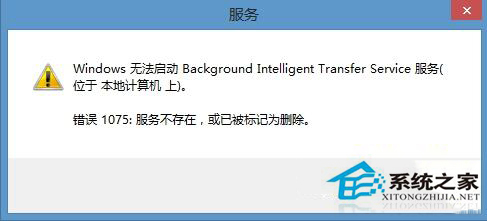
Windows 8.1 背景智慧型傳輸服務 (BITS) 無法啟動、報錯 1075 (相依服務不存在或已標記刪除),主因是 EventSystem 服務註冊表項目遺失或損毀。匯入完整註冊表定義重建服務依賴關係即可修復。

修復步驟

  1. 新建文字文件,貼上完整註冊表程式碼 (包含 EventSystem 服務定義、參數、依賴 RPCSS 等)。
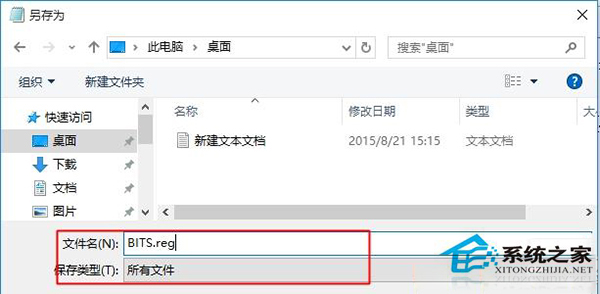
  2. 存檔為 BITS.reg (類型選「所有檔案」)。
  3. 以系統管理員身分執行 (右鍵 →「以系統管理員身分執行」) 匯入登錄。
  4. 重新開機,BITS 服務即可正常啟動,Windows Update 功能恢復。

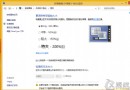
BITS 服務錯誤 1075

另存為 BITS.reg

註冊表程式碼關鍵點:定義 EventSystem 服務的 ImagePath、DependOnService (含 RPCSS)、ServiceDll 指向 es.dll 等完整參數。

相關:若為 RPCSS 服務無法啟動,請參考對應修復教學。

Copyright © Windows教程網 All Rights Reserved