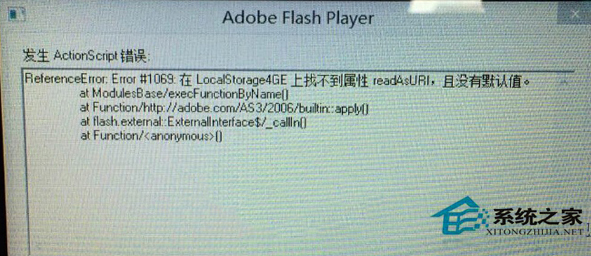
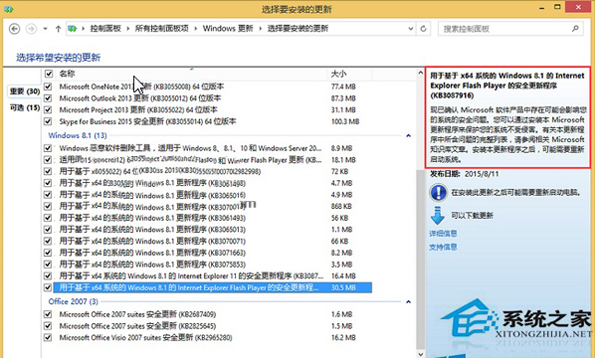
Win8.1 透過 Windows Update 自動安裝 Flash 更新後頻繁報錯,導致網頁影片無法播放。解決方法是移除該更新並隱藏,防止自動重裝。
若仍需 Flash,建議至 Adobe 官網下載獨立安裝版(注意 Flash 已停止支援,建議改用 HTML5 播放器)。
Win8.1 徹底停用家庭群組服務:services.msc 設定教學
Windows 8 內建虛擬光碟機與壓縮功能使用教學
Win7 升級 Win8.1 Update 完整教學:升級助手檢查相容性、建立安裝媒體
Win8.1 激活工具 KMSpico 使用圖文教程(含下載與安裝細節)
Windows 8 遠端桌面連線教學:內建應用五步驟快速連線控制遠端電腦
Windows 8 更換帳戶頭像:個人化設定 → 帳戶圖片 → 瀏覽本地相片或拍攝照片
Win8 預設程式設定完整指南:兩大法讓檔案用慣用軟體開啟
Windows 8 磁碟管理建立新分區完整圖文教學