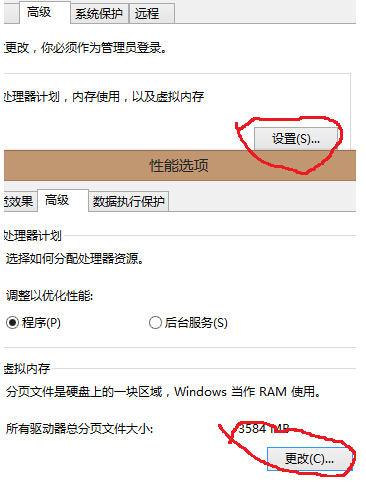
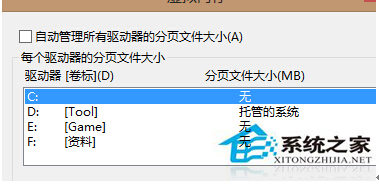
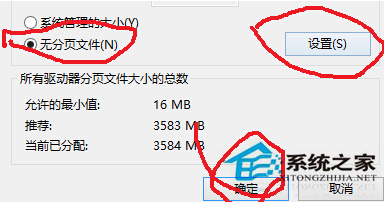
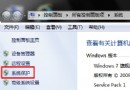
Win8 系統變慢,任務管理員顯示 System.exe 持續讀寫 pagefile.sys 導致磁碟 100% 使用率。透過停用虛擬記憶體(分頁檔案)可解決。
System.exe
pagefile.sys
注意:停用分頁檔案需確保實體記憶體足夠(建議 8GB 以上),否則可能導致記憶體不足錯誤。若問題持續,建議檢查硬碟健康度或擴充記憶體。
Win8.1 更新驅動程式提示「檔案可能已損壞或被竄改」?啟用測試模式解決
Win8.1 Xbox Music 使用技巧:全選專輯/歌曲與刪除操作
Win8 啟動完整教學:電話啟動流程、備份啟動檔、重灌後還原啟動
Windows 8 安裝股票軟體出現亂碼?變更地區設定為簡體中文解決
Win8.1 IE 瀏覽器無法使用五筆輸入法?關閉保護模式即可解決
Win8 將 IE 瀏覽器釘選到工作列 三步驟快速完成
Win8 找回刪除確認對話框:回收站屬性勾選「顯示刪除確認對話方塊」
Win8/8.1 關閉右側 Charms 超級菜單/邊角導航教程