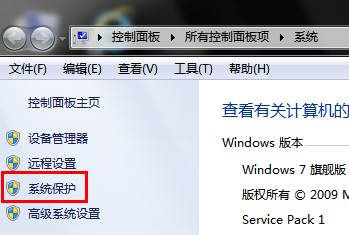
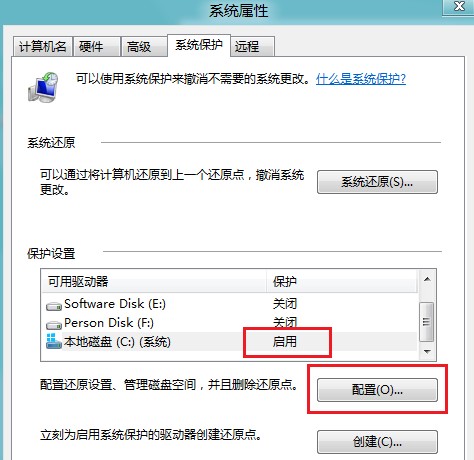
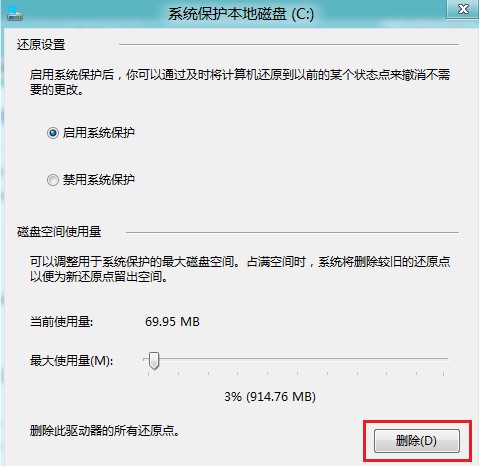
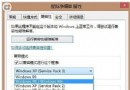
系統保護功能建立還原點以便系統復原,可針對各磁碟分區獨立啟用/關閉並設定最大使用空間。
Win8 鎖定畫面操作全攻略:鎖定、解鎖、快速鍵
Win8.1 Update 升級包離線安裝指南:6 個 KB 補丁正確順序與情況分類
Windows 8 IE 瀏覽器提示「未安裝 Flash Player」完整解決方案:啟用附加元件、安裝修補程式、重新註冊 DLL
Win8 設定命令提示字元預設以系統管理員身分執行:批次檔註冊表修改法
Win10 10074 預覽版:開始選單終於支援自由調整大小
Windows 8 啟用無線網卡服務,解決偵測不到 Wi-Fi 訊號
Win8.1 快速返回傳統桌面三大絕招:磚、熱鍵、搜尋
Win8 如何自訂列印紙張尺寸?控制台→裝置和印表機→印表機伺服器屬性→表單→建立新表單