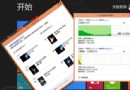
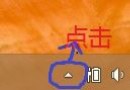
Windows 8 內建 ISO 掛載 (雙擊 .iso/.vhd 即可)、建立壓縮檔 (右鍵 → 送至 → 壓縮資料夾)、解壓縮 (右鍵壓縮檔 → 全部解壓縮) 功能,無需安裝第三方工具。
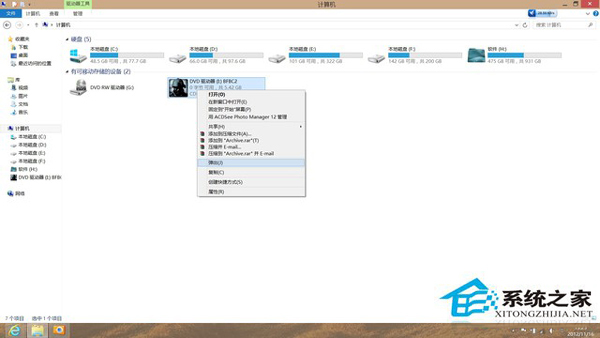
檔案總管中雙擊任意 .iso 或 .vhd 檔案,系統自動掛載為虛拟光碟機/硬碟,出現在「這台電腦」中,可直接存取內容。卸載時右鍵虛擬光碟機 →「推出」。
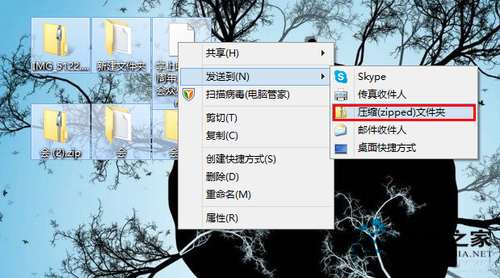
選取檔案/資料夾 → 右鍵 →「送至」→「壓縮 (zipped) 資料夾」→ 同目錄生成 .zip 壓縮檔。
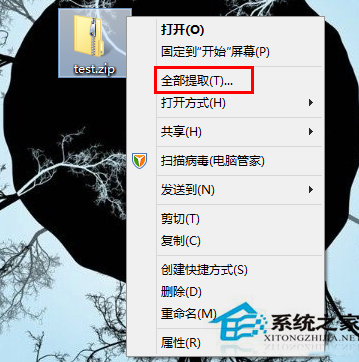
右鍵 .zip 檔案 →「全部解壓縮」→ 選擇目的地 →「解壓縮」。
Windows 8 內建工具雖功能基礎,但涵蓋日常 90% 需求,輕量無廣告,值得善用。