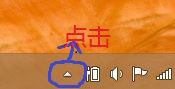
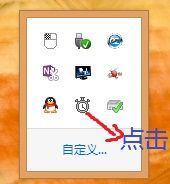
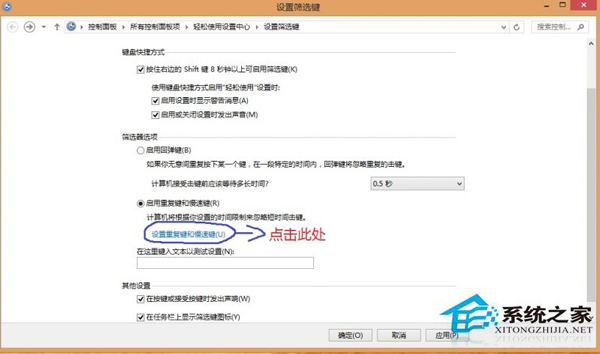
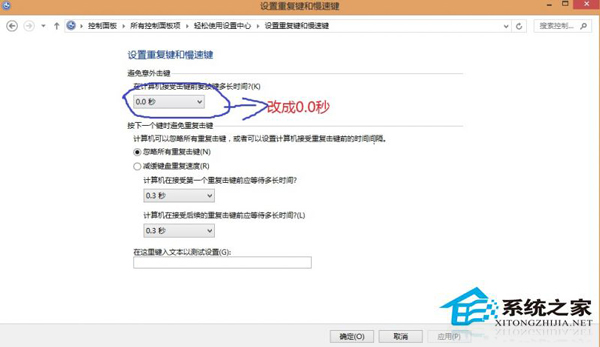
Windows 8 更新後鍵盤無法輸入,實為「篩選鍵」 (Filter Keys) 功能被誤啟用。關閉方法:控制台 → 簡易存取中心 → 讓鍵盤更容易使用 → 取消勾選「開啟篩選鍵」或將「重複鍵與慢速鍵」設定延遲為 0 秒。
0.0 秒
此問題常因更新重置簡易存取設定或誤觸快速鍵 (Right Shift 長按 8 秒) 觸發,關閉後鍵盤立即恢復正常。
Windows 8 新增印表機完整圖文教學
Win8 必應天氣無法更新?wsreset 重置應用商店快取一招解決
Win8.1 應用商店報錯 0X80246007?實為 IE11 臨時文件夾路徑錯誤,移回 C 盤即愈
Win8 如何隱藏桌面圖示?與隱藏資料夾同樣簡單
Win8 打開資料夾頻繁「無回應」?關閉 Windows Defender 實時掃描或添加排除項即時生效
關閉 Windows 8 使用者帳戶控制 (UAC) 彈出提示完整步驟
Windows 8 清除遠端桌面連線歷史記錄保護帳號安全
Windows 8.1 更改螢幕解析度兩大法:桌面右鍵與 PC 設定雙入口