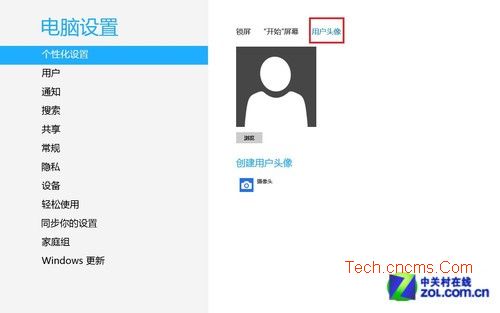
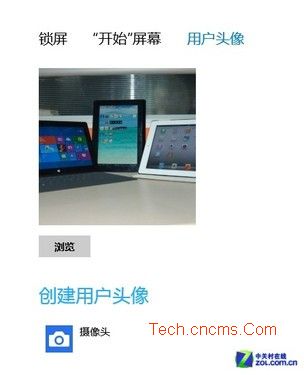
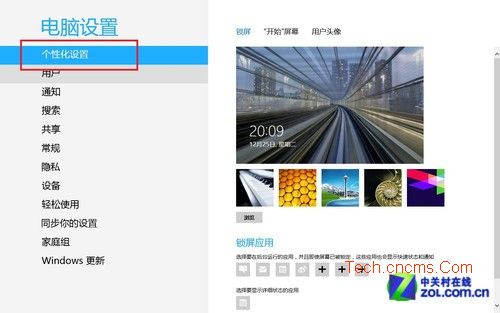
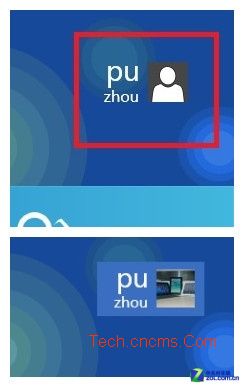
Windows 8 預設帳戶頭像為灰色剪影,可透過 Modern UI 設定輕鬆更換:Win+I → 「變更電腦設定」→「個人化」→「帳戶圖片」→「瀏覽」選取本地照片,或直接使用裝置攝影鏡頭拍攝新頭像。
新頭像即刻套用至登入畫面、開始畫面帳戶名稱旁、各類 Modern UI 應用(如郵件、人物、行事曆)。
Windows 8/8.1 網頁開啟緩慢?提升網路速度 3 大實用調校
Windows 8 擴大 C 盤空間實戰技巧:可釋放 5-6 GB 以上
Windows 8 禁用多核心處理器 強制單核心執行的方法
Windows 8 / 8.1 完整快速鍵大全(官方整理版)
Win8.1如何連接隱藏SSID的WiFi?圖文教程支援Win8/8.1/10通用
Windows 8 行動中心同步中心設定:建立同步合作關係、立即同步、裝置重新整理完整操作
Win8 找裝置管理器三大法:右鍵電腦、Win+X 選單、Win+S 搜尋
Win8 關閉 Windows 防火牆完整圖文教學