MSDN 首批釋出 Win8.1 Update 僅英文版。安裝後可透過控制台線上下載簡體中文語言包,將介面切換為熟悉的中文。
操作步驟(英文介面對照)
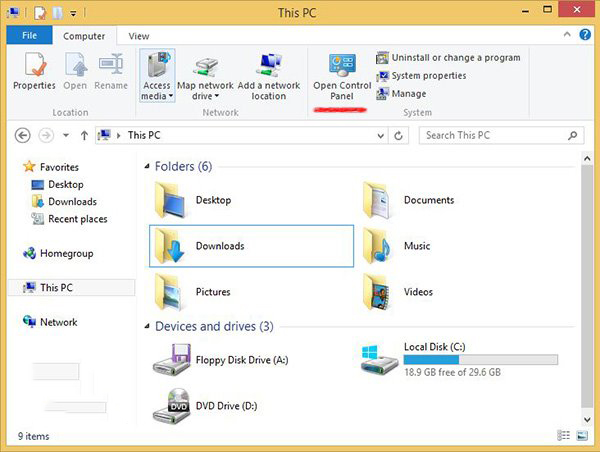
- 開啟「This PC」→ 頂部工具列「Control Panel」→ 進入控制台。
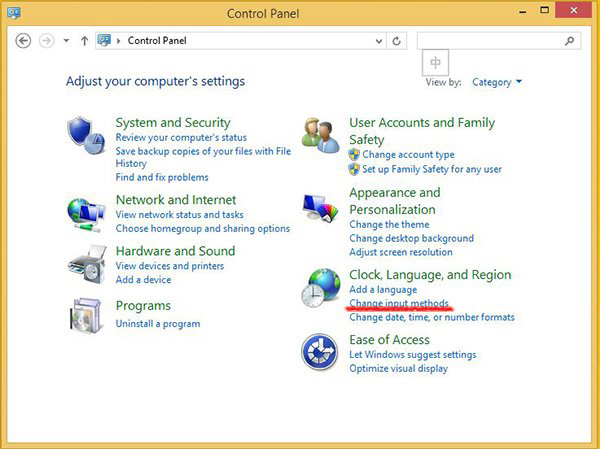
- 選擇「Clock, Language, and Region」→ 「Change input methods」。
- 「Language」頁面 → 「Add a Language」。
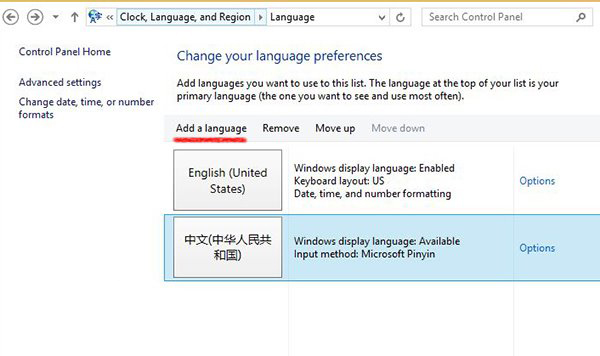
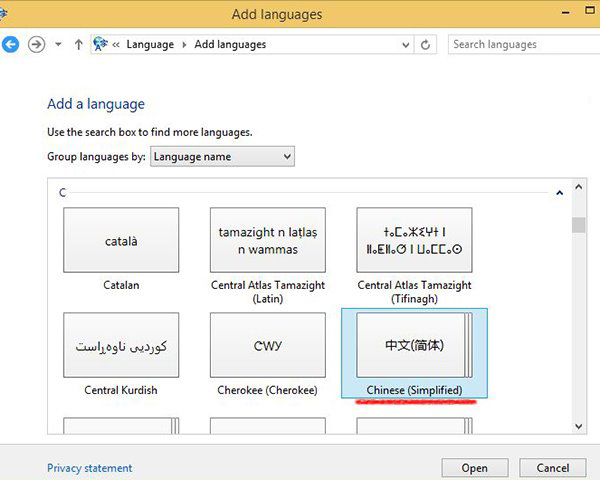
- C 群組找「Chinese (Simplified)」→ 選「Chinese (People's Republic of China)」→ Add。
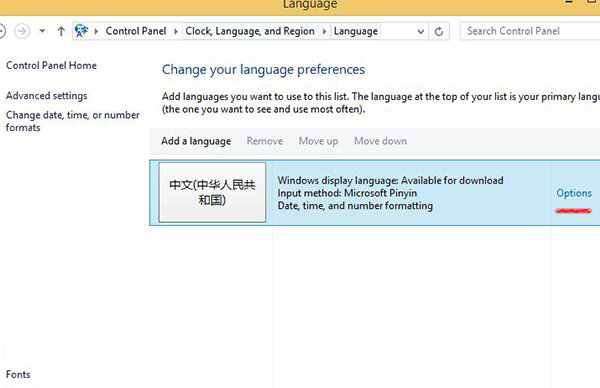
- 對新增中文點「Options」。
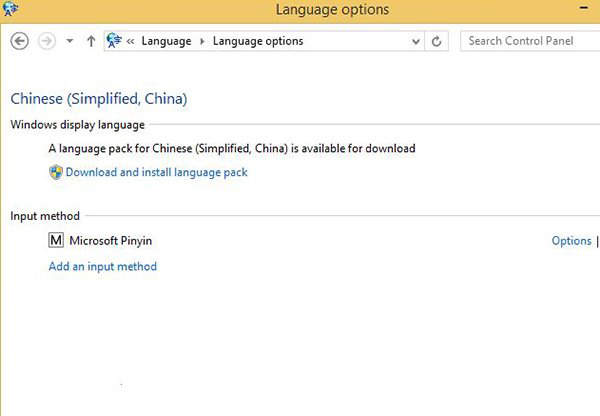
- 點選「Download and install language pack」,系統自動下載安裝簡體中文顯示語言包。
安裝完成後登出重登或重新啟動,介面即轉為中文。同法適用於其他語系。