微軟提供 Win8 直接升級至 Win8.1 Update 的官方路徑:先透過應用商店升級至 Win8.1 RTM,再經 Windows Update 安裝 KB2919355 更新包,全程保留應用與程式。
KB2871389。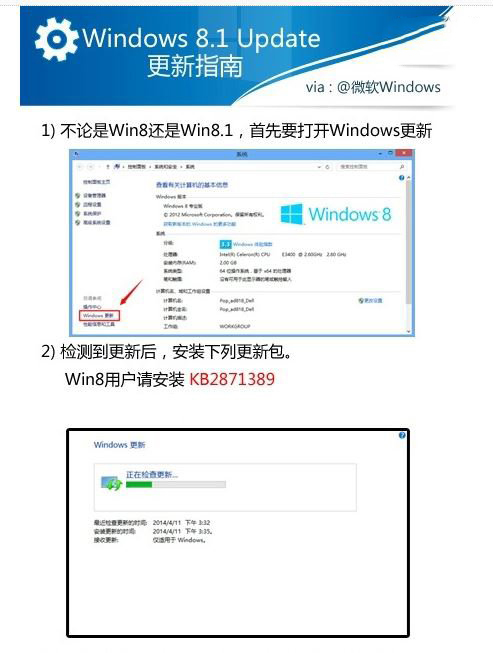
ms-windows-store:WindowsUpgrade。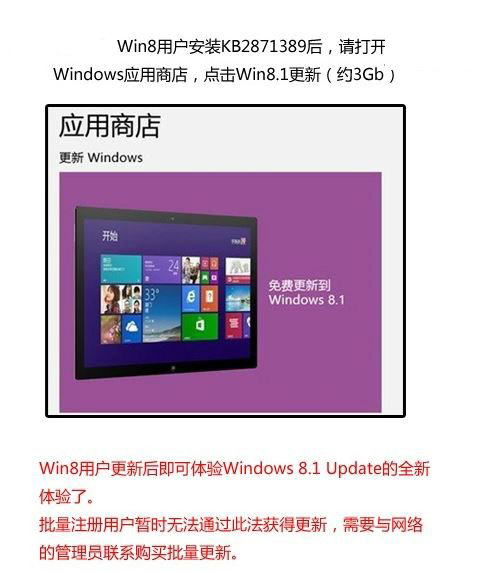
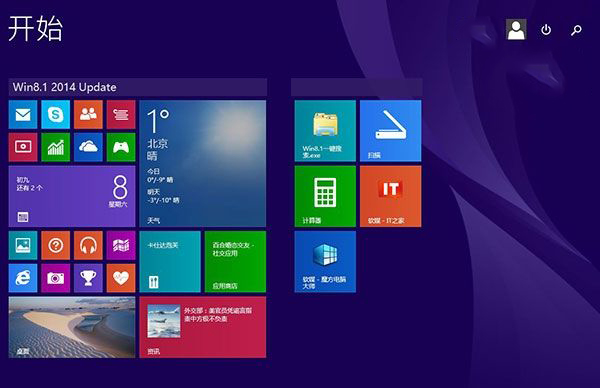
KB2919355 安裝。
優點:保留 Modern 應用與桌面程式,無需重裝軟體。
備選:亦可使用離線 ISO 升級,但需自行處理驅動與應用遷移。
解除安裝 Windows 8 並快速還原 Windows 7:利用 Windows.old 資料夾與啟動修復
Windows 8 ATI/AMD 顯示卡調整螢幕縮放(Scaling)教學:透過 Catalyst Control Center 解決畫面不滿螢幕
Win8.1 Update全新安裝圖文教學:U盤啟動、分區、產品金鑰與Microsoft帳號設定
預裝 Win8 筆電無法開啟 Windows Defender?卸載廠商預裝殺毒軟體即可解決
Windows 8 進入安全模式兩大法寶:高級啟動選單與系統設定 msconfig