多裝置共網時,單一裝置下載佔滿頻寬影響他人。解決:登入路由器管理介面(通常 192.168.1.1) → 「主機頻寬控制」 → 設定目標裝置上傳/下載限速值。
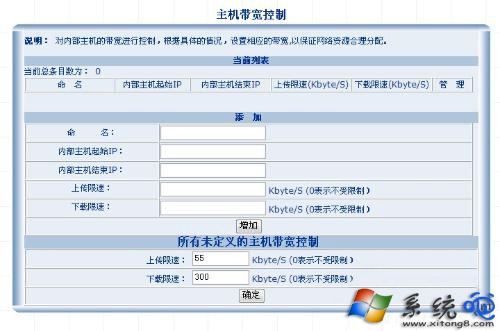
此為網路層面限速,不受作業系統限制,適用所有裝置。
Windows 8 使用「優化磁碟機」進行磁碟碎片整理與排程設定教學
Windows 8.1 升級 Update RTM (KB2919355) 完整圖文教學:先裝 5 個 Rollup、再裝 KB2919442、最後裝 KB2919355
Win8.1 快速建立 VPN 連線:Modern 設定三步填入伺服器/帳號/密碼即完成
Windows 8/8.1 人脈應用新增 Twitter 帳號:區域設定暫改美國、科學上網、完成後改回中國
Windows 8 硬碟分區圖文教學:九步驟完成壓縮卷、建立簡單磁碟區