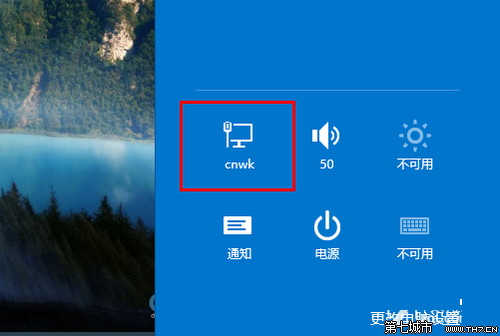
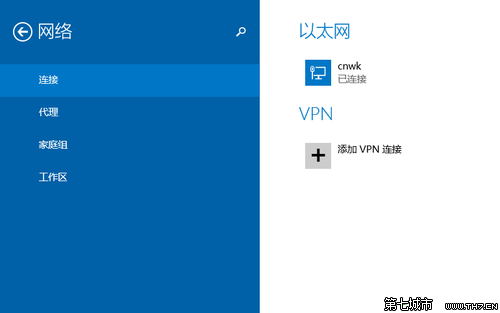
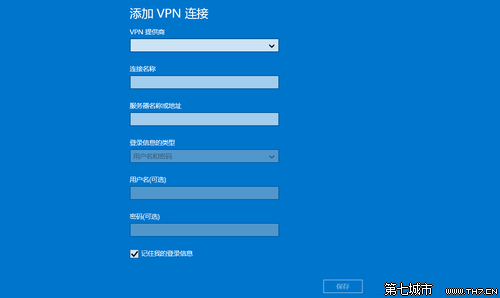
Win8.1 將 VPN 設定整合至 Modern 設定介面,無需傳統控制台繁瑣步驟,三步即可建立連線。
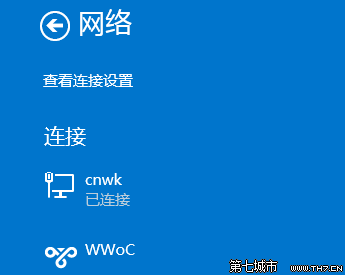
之後在 Charms → 設定 → 網路即可看到 VPN 選項,點擊即刻撥號連線,極度精簡。
Win8 設定登入自動撥號 ADSL (工作排程器進階法)
Windows 8.1 正式版十大新特性體驗:開始按鈕、Metro 自由化、全域搜尋、IE11 WebGL、SkyDrive 整合、Xbox Music、多工手勢、DirectX 11.2、3D 列印、小尺寸支援
Windows 8 引入「刪除開關」:PC 邁入遠端刪除時代,隱私與安全引雙重辯證
Windows 8 開始畫面磚塊消失怎麼找回?搜尋「桌面」重新釘選恢復
Windows 8 無線網路快速連線與管理完整圖解
Windows 8 無縫整合 SkyDrive 雲端儲存:跨裝置同步、線上編輯、多平台支援
Windows 8 IE10 關閉 SmartScreen 篩選器完整教學:兩種關閉管道與安全性權衡
Win8.1 觀看影片頻繁彈出 Flash Player ActionScript 錯誤?重裝與信任設定修復