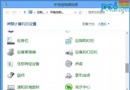
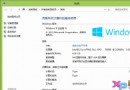
不小心刪除 Metro 介面的控制台圖示怎麼辦?解決方法極簡單:
Control
同理可找回其他誤刪應用。這也讓使用者更瞭解 Metro 介面運作邏輯。作者試用期間發現 Explorer 頻繁崩潰、QQ 兼容性問題等,認為 Win8 早期版本不適合一般用戶日常使用,Metro 介面對鍵鼠操作不友善,系統穩定度有待加強。
Windows 8 安裝 Arduino 驅動程式解決「驅動程式簽名」問題
平板電腦 Windows 8 Metro 操作 9 大觸控技巧:超級按鈕、多工切換、IE10 手勢
Win8.1 應用商店升級失敗 0x80004005?重灌或修復 DLL 註冊兩大方案
「無法更新到 Windows 8.1」錯誤 0xc1900101-0x40017 深度分析與通用修復指南
傳 Windows 8 設計理念受 WP7 影響:Metro 介面將取代傳統開始選單
Win8 IE11 將網頁儲存至閱讀清單離線閱讀
Windows 8 啟用完整指南:線上啟用、電話啟用與升級助手自動啟用三大路徑
Win8 螢幕亮度無法調整?修改登錄 KMD_EnableBrightnessInterface2 為 0