Windows XP Windows 7 Windows 2003 Windows Vista Windows 綜合教學 Linux 系統教學
Windows 10 Windows 8 Windows 2008 Windows NT Windows Server 電腦軟體教學

讓 Win 8 用起來像 Win 7:跳過 Metro 直進桌面、找回開始選單操作習慣

編輯:Windows 8 系統介紹

Win 8 引入 Metro UI、移除開始選單,雖性能/安全/記憶體管理全面優於 Win 7,但操作習慣大讓用戶不適應 (如關機需多步驟)。能否讓 Win 8 像 Win 7?答案是 Yes!

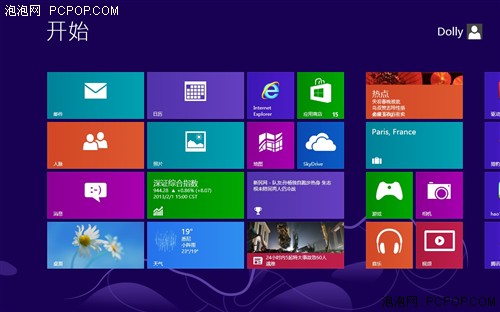
核心痛點:開機預設進 Metro,傳統桌面藏左下角

開機進 Metro,點左下角「桌面」磚或 Win+D 才進傳統桌面,每次都要手動切換很繁瑣。
解法:任務排程器 + 「顯示桌面」捷徑,開機自動進桌面

步驟 1:建立「顯示桌面」 .scf 捷徑

  1. 開啟記事本,輸入:
[Shell]
Command=2
IconFile=Explorer.exe,3
[Taskbar]
Command=ToggleDesktop
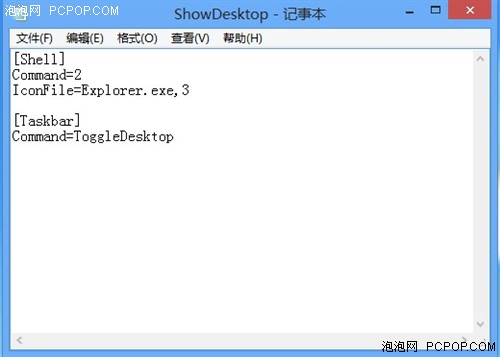
  1. 另存為 ShowDesktop.scf (副檔名必為 .scf)。

步驟 2:任務排程器建立登入觸發任務

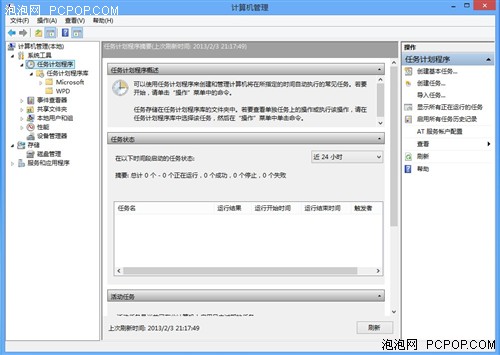
  1. 「電腦」右鍵 →「管理」→「工作排程器」;
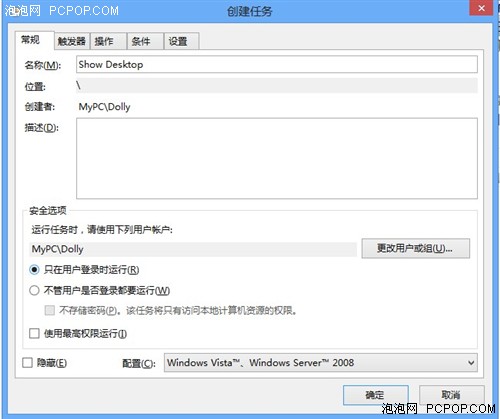
  2. 「建立工作」→ 命名;
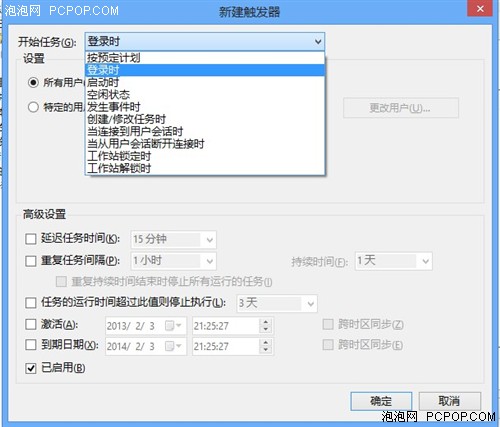
  3. 「觸發條件」→「新增」→「開始工作」選「登入時」;
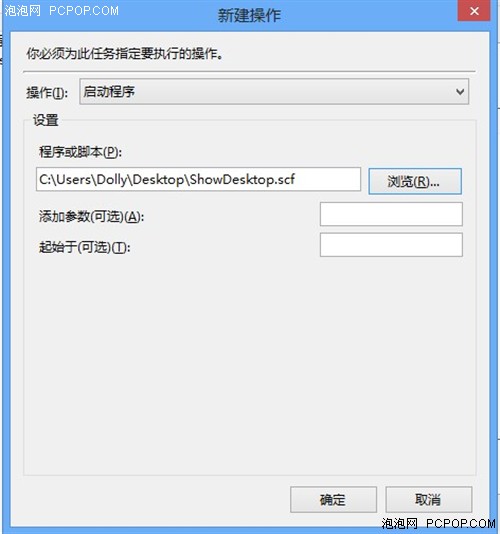
  4. 「動作」→「新增」→「瀏覽」選 ShowDesktop.scf 路徑;
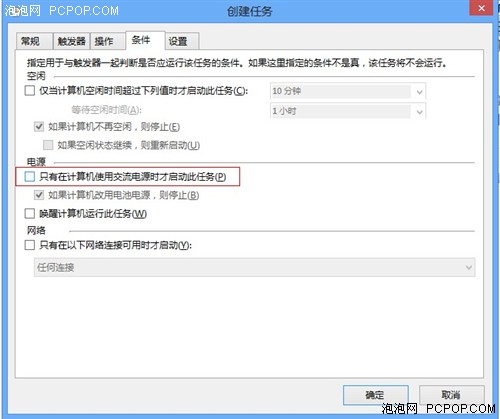
  5. 「條件」→ 取消「僅在使用交流電源時啟動」;
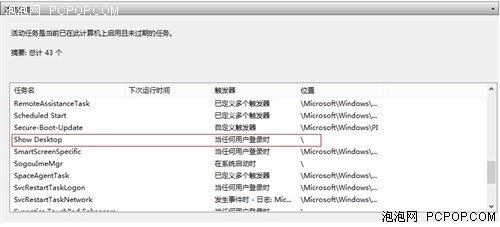
  6. 確定完成。

完成後重啟,Win 8 將自動執行「顯示桌面」跳過 Metro 直進傳統桌面,操作體驗瞬間拉回 Win 7 熟悉感!

Copyright © Windows教程網 All Rights Reserved