Windows XP Windows 7 Windows 2003 Windows Vista Windows 綜合教學 Linux 系統教學
Windows 10 Windows 8 Windows 2008 Windows NT Windows Server 電腦軟體教學

Windows 8 輸入法應用體驗:內建微軟拼音 vs 第三方 (搜狗/QQ/百度/Google) 差異

編輯:Windows 8 系統介紹

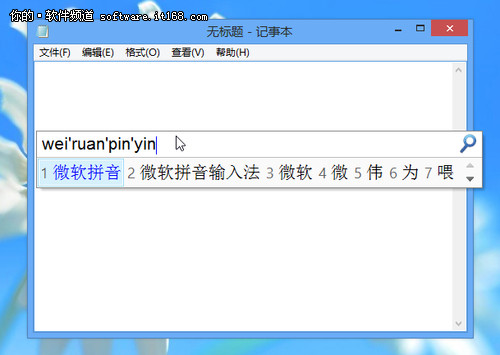
Windows 8 內建微軟拼音輸入法已具備雲端聯想、表情符號、手寫、語音輸入等現代功能,但國內使用者習慣搜狗、QQ、百度、Google 拼音等第三方輸入法。
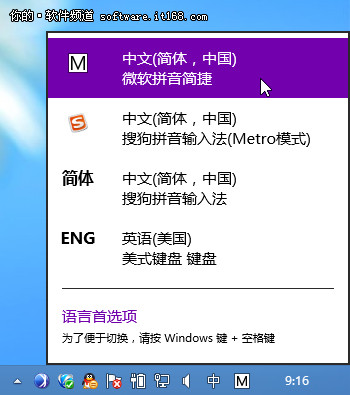
關鍵差異:Metro 介面限制

  • Metro/Modern 應用程式 (開始畫面、商店應用):僅能使用內建微軟輸入法,第三方輸入法必須重新開發為 WinRT 版本才能在 Metro 環境運作。
  • 傳統桌面程式:可自由使用任何第三方輸入法。
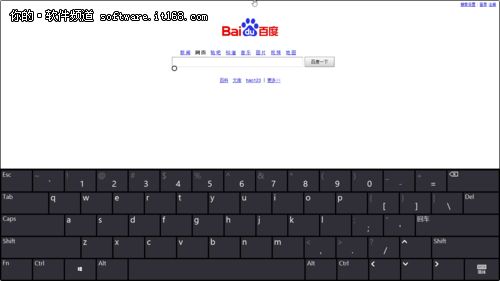
  • 觸控螢幕/平板:內建鍵盤佈局優化觸控,支援分離式鍵盤、手寫面板、語音輸入。

輸入法新增/移除/設定路徑 (控制台)

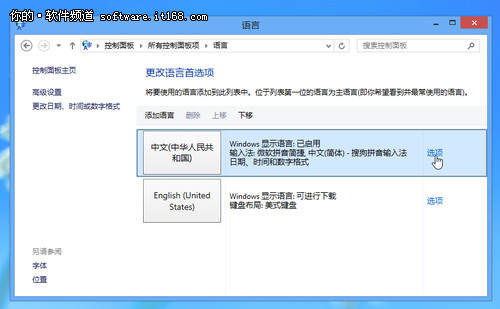
  1. 控制台 →「語言」。
  2. 「中文 (中華人民共和國)」→「選項」。
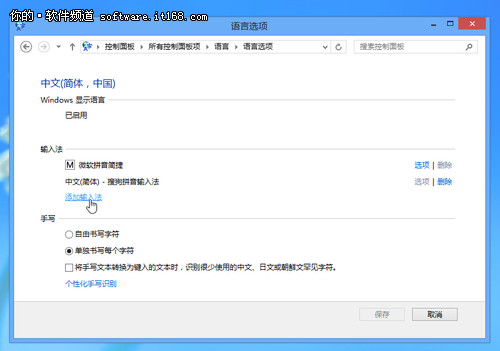
  3. 「新增輸入法」選擇內建方案 (微軟拼音、微軟雙拼、微軟注音、手寫等)。
  4. 第三方輸入法安裝後會自動出現在此清單,可調整順序、設為預設、移除。

常用熱鍵

  • Ctrl+Space:開啟/關閉輸入法 (切換英文模式)。
  • Ctrl+Shift:循環切換輸入法。
  • Win+Space:顯示切換 UI 選擇輸入法。
  • 中文輸入時 Shift:臨時切換英文。
Copyright © Windows教程網 All Rights Reserved