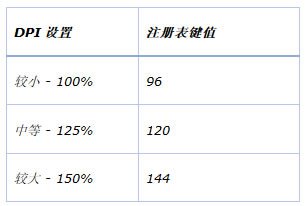
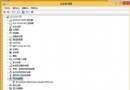
高解析度螢幕 (如 Surface Pro 207 DPI) 文字過小,調高 DPI 縮放 (如 500%) 後介面元素過大無法操作還原。解法:重開機進入安全模式 (非低解析度視訊模式),安全模式不套用 DPI 縮放,介面恢復正常大小,再至控制台調回 100% (或 150%),重開機生效。DPI 設定存於 HKCU\Control Panel\Desktop\LogPixels,預設 96 (100%),對照表:125%=120、150%=144、200%=192、500%=480。Surface Pro 預設 150%。