Windows XP Windows 7 Windows 2003 Windows Vista Windows 綜合教學 Linux 系統教學
Windows 10 Windows 8 Windows 2008 Windows NT Windows Server 電腦軟體教學

從 Windows 8 SmartScreen 看檔案資料流:Zone.Identifier 與安全區域識別

編輯:Windows 8 系統介紹

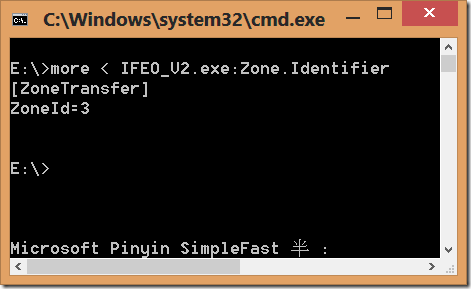
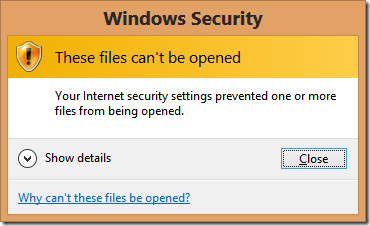
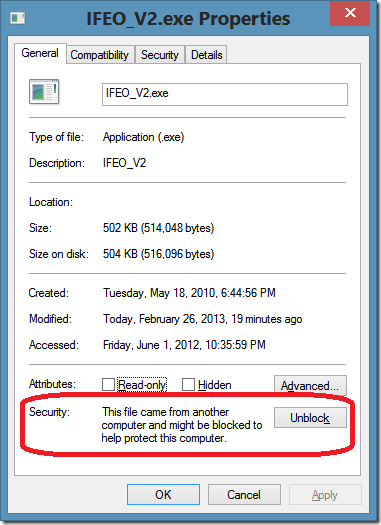
Windows 8 SmartScreen 成為系統級功能,下載檔案會檢查 NTFS 替代資料流 Zone.Identifier。右鍵檔案「內容」底部會顯示「這個檔案來自另一台電腦」警告與「解除封鎖」按鈕。命令列 more < 檔案名:Zone.Identifier 可見內容:[ZoneTransfer] ZoneId=3。ZoneId 對應 IE 安全區域:1 信任網站、2 區域內部網路、3 網際網路 (觸發警告)、4 限制網站 (直接阻擋)。工具 streams.exe 可列出所有資料流。一般程式無法開啟含冒號的資料流檔案。
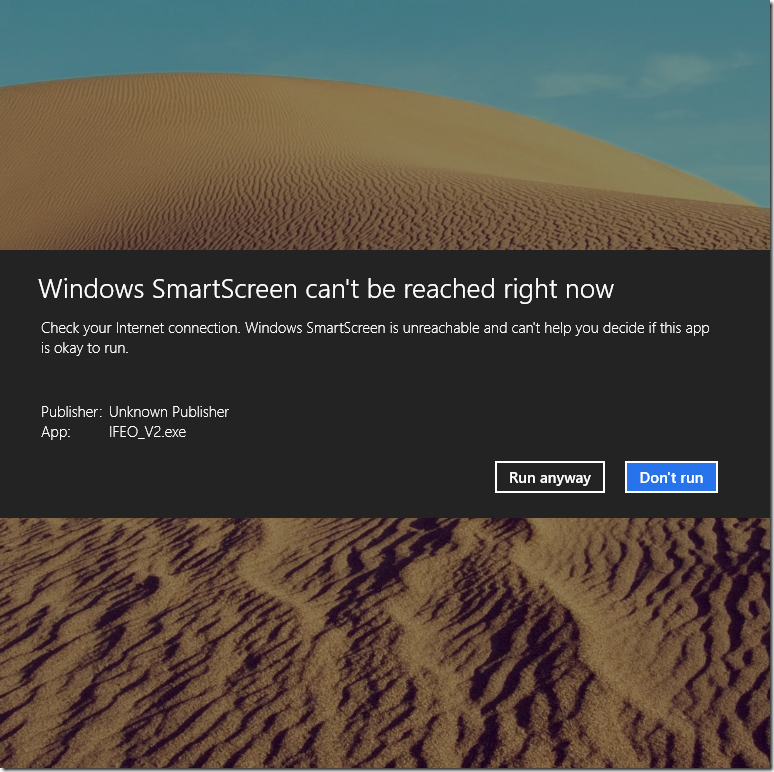
SmartScreen 警告視窗

檔案內容區域識別

more 指令查看 Zone.Identifier

ZoneId=3 內容

Copyright © Windows教程網 All Rights Reserved