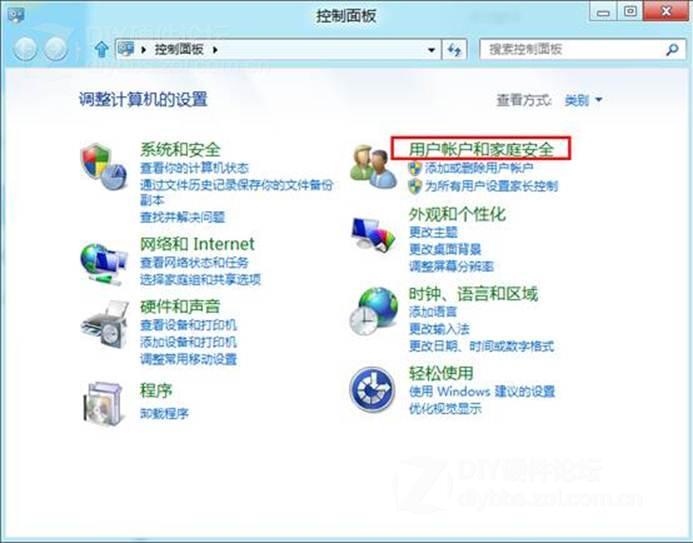
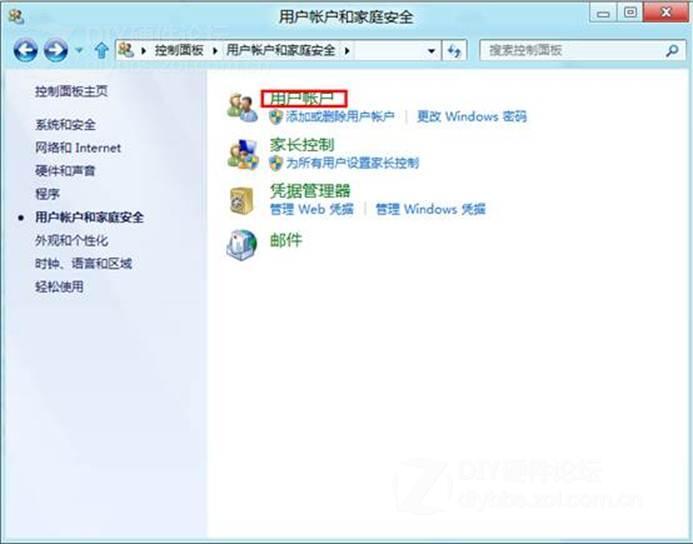
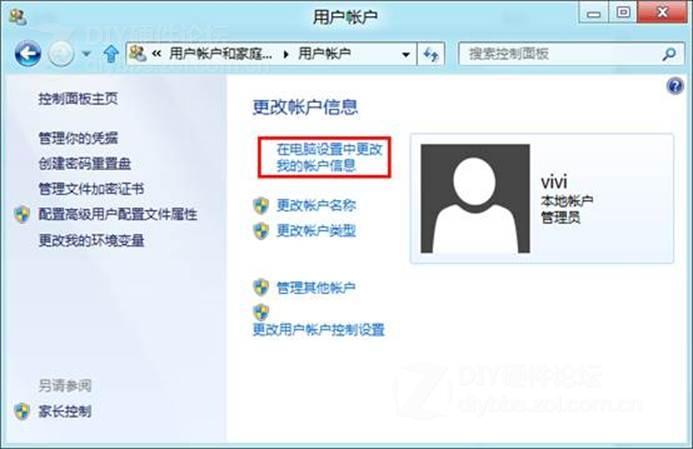
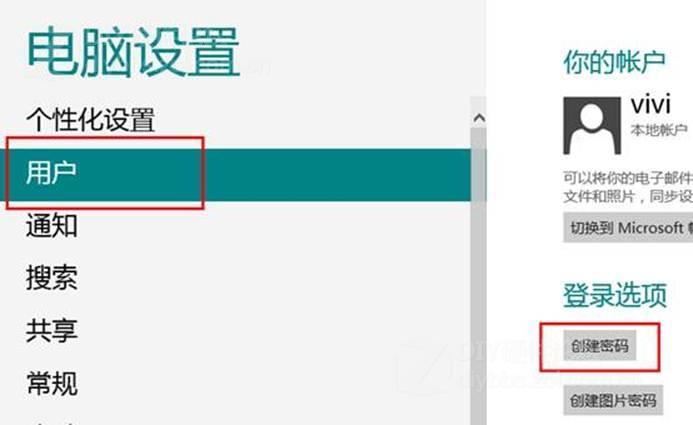
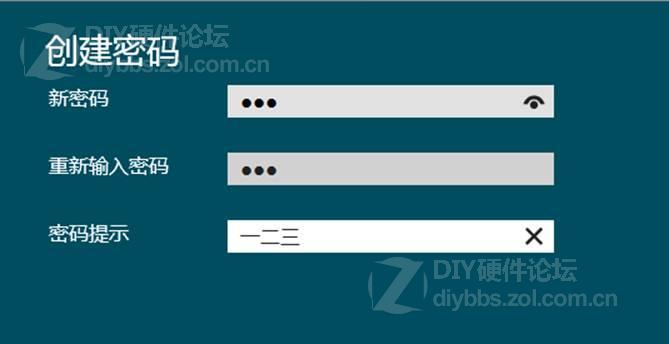
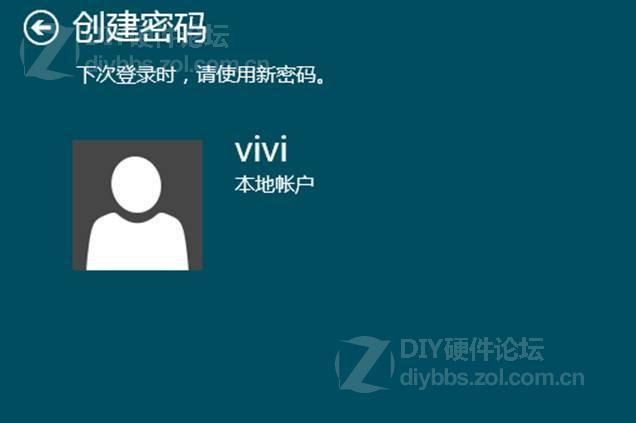
建議設置強密碼(大小寫+數字+符號 ≥8 位),並妥善保管密碼提示或使用密碼管理器。
Windows 8 快速開啟控制台的多種方法
Win8 應用程式商店安裝卡在「掛起」無法進行?清除 SoftwareDistribution\Download 快取解決
Win8.1 變更 SkyDrive (OneDrive) 預設儲存位置
Windows 8 或將支援 3D 顯示器 內建立體選項引發三維介面想像
Windows 8 筆電變身 Wi-Fi 熱點:指令與圖形介面雙重教學
Win8 玩 CF (穿越火線) 初始化失敗?虛擬記憶體、DirectX、執行庫、遊戲修復四步驟解決
Windows 8 官方升級助手完整安裝流程教學:從購買、相容性檢測、保留內容選擇到安裝完成
Win8 版本大比拚:標準版 vs 專業版 vs 企業版 vs RT 功能差異一次看懂