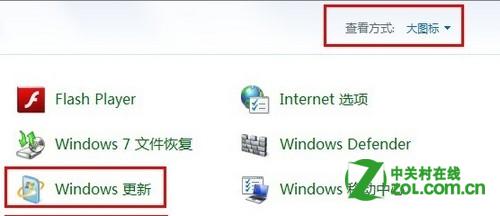
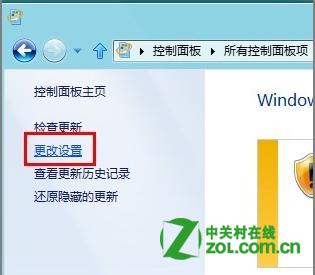
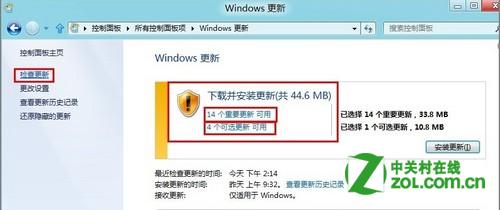
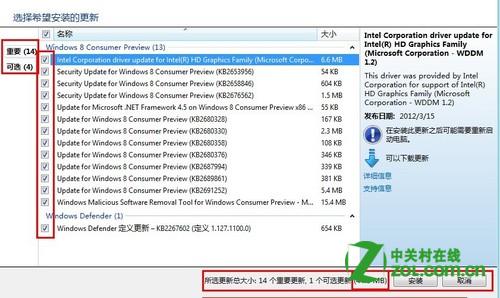
Windows Update 預設一次全裝,但您可手動挑選僅安裝特定「重要更新」或「選用更新」,避免不必要的龐大下載或相容性風險。
建議保留「重要更新」自動安裝,僅對「選用更新」(驅動程式、功能改善等)採手動挑選,平衡安全性與掌控權。
Win8 顯示或隱藏副檔名?檔案總管 Ribbon 介面一鍵切換
Windows 8 顯示檔案副檔名並修改:控制台資料夾選項取消隱藏已知類型副檔名
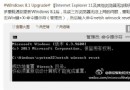
Win8.1 預覽版找回 Windows 體驗指數 (WEI) 完整指令教程
Win8 鎖定畫面通知設定:指定應用程式顯示快速狀態
Windows 8 七大人性化設定技巧:關閉 UAC、恢復開始功能表、禁用鎖定畫面等
Win8 關機總跳「有程式未關閉」提示?組策略關閉自動終止功能讓關機飛快
Win8.1 圖片密碼建立教學
Windows 8 快速定位 IE 收藏夾實體路徑:C:\Users\使用者名稱\Favorites 三步驟直達