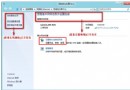
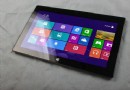
Windows 8.1 內建 Slidetoshutdown.exe,呼叫後出現鎖定畫面,向下拖曳即可關機,操作如 Windows Phone 般直覺。
slidetoshutdown.exe → 確定。C:\Windows\System32 找到 Slidetoshutdown.exe。微軟詳述 Windows 8 全新用戶介面:無邊框、應用為中心、動態磚塊、觸控與鍵鼠協作
Windows 8 關閉桌面大小寫鎖定/數字鎖定顯示圖示:螢幕解析度進階設定畫面顯示選項
Windows 8 藍牙裝置無法移除:服務管理啟用 Bluetooth Handsfree Service 與 Bluetooth Support Service
微軟測試 Windows 8 下的 Ribbon UI:色彩與按鈕風格全新設計
Win8.1 連手機熱點藍屏重啟?停用無線網卡 802.11n 模式解決衝突
Windows 8 IE10 還原進階設定完整教學:重設瀏覽器預設值與風險提醒
Windows 8 電話啟用完整攻略:slmgr 安裝金鑰、slui4 選擇英國、Skype 撥打激活中心、VPN 繞過封鎖、備份啟用檔案