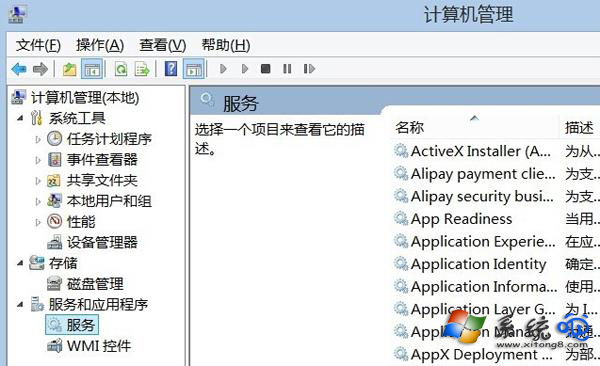
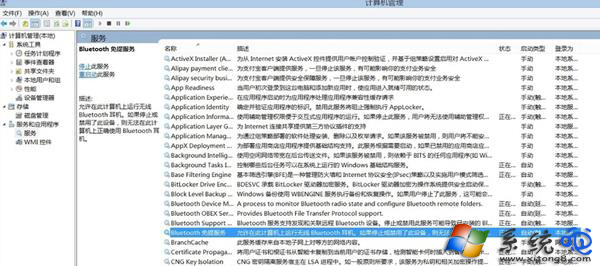
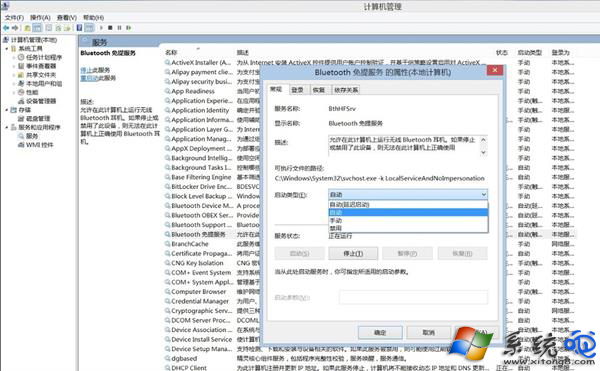
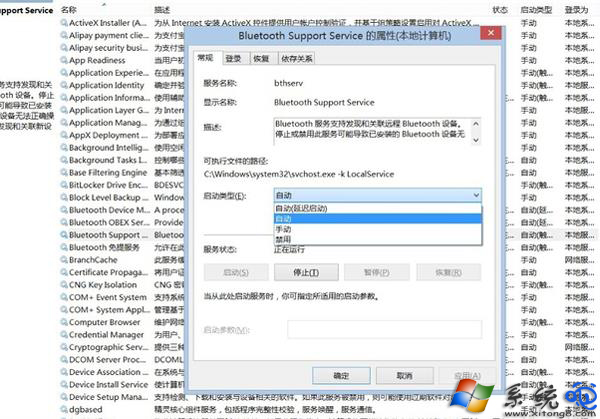
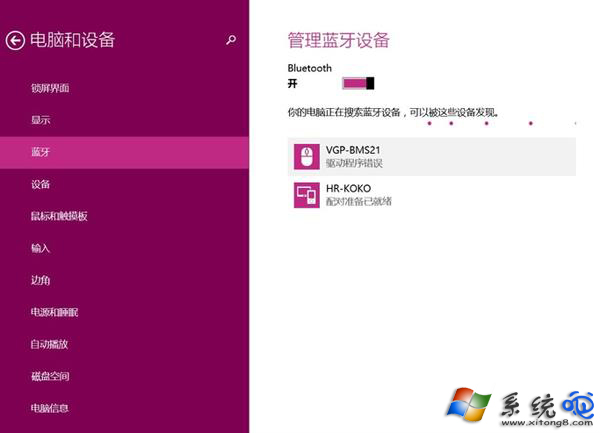
Win8 刪除藍牙裝置卡住「正在移除」,因藍牙相關服務未啟用。修復:
Bluetooth Handsfree Service
Bluetooth Support Service
Win8 開機直進傳統桌面:修改註冊表 Shell 值一步到位
Windows 8 管理無線網路設定檔指令教學:netsh wlan 指令查看、刪除、顯示密碼、停用自動連線
Win8 安裝至獨立分區教學:避免覆蓋原系統、雙系統共存
Windows 8 開啟與關閉系統保護操作指南
Win8 網路工具相容性實測:P2P終結者、黑馬遠端、傲盾加速器
Windows 8/8.1 開啟資料夾假死/卡頓四大排解思路:關閉 Defender、重啟 DWM、關閉預覽/獨立進程、關閉索引
Windows 8 IE10 瀏覽器網頁顯示不全解決教學:相容性檢視與 F12 開發人員工具雙重修復
Windows 8 檔案總管顯示完整路徑設定教學:資料夾選項一鍵開啟