Windows 8 檔案類型關聯管理提供系統級與單檔案級兩種管道:
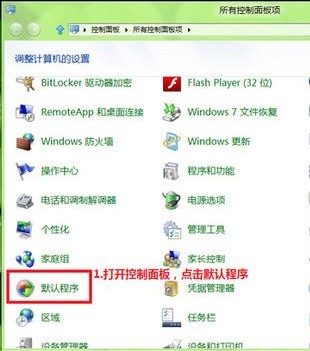
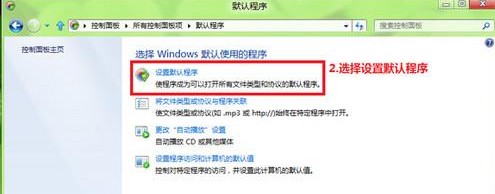
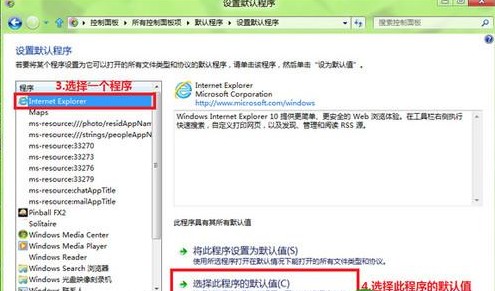
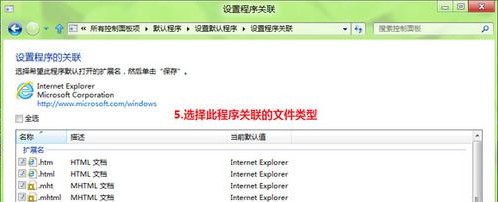
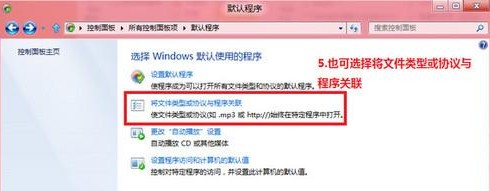
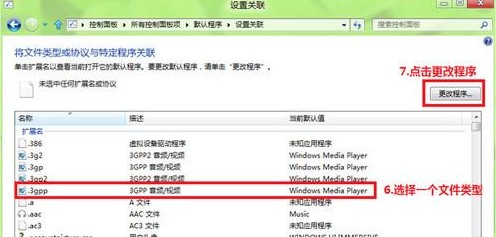
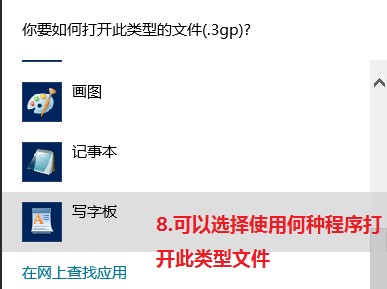
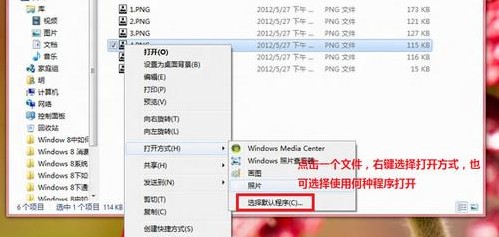
進階:登錄編輯 HKEY_CLASSES_ROOT\.副檔名 與 HKEY_CURRENT_USER\Software\Microsoft\Windows\CurrentVersion\Explorer\FileExts\.副檔名 可手動微調關聯優先順序。企業環境可透過群組原則 User Configuration\Administrative Templates\Windows Components\File Explorer\Set a default associations configuration file 部署標準關聯表。
Windows 8 查看 Metro 應用程式大小教學:釋放儲存空間的關鍵技巧
Win8 OA 3.0 授權技術深度解析:OEM 預裝啟用流程、聯機驗證、防破解機制與常見問題
Windows 8 快速隱藏磁碟分割區:磁碟管理移除磁碟機代號,三步驟保護隱私資料
Windows 8 以系統管理員身分執行程式:傳統桌面右鍵、Modern 磚塊右鍵、搜尋右鍵、Ctrl+Shift+Enter 快捷鍵四大法
Win8 開發者預覽版常見六大問題解決方案:亂碼、天氣華氏、QQ 安裝/死機、Metro 無法開啟、控制台誤刪