Windows 8 預設開機進入 Modern UI(磚塊介面),傳統桌面用戶每次都得額外點擊才能進入桌面。實際上,透過修改註冊表即可讓系統開機直接進入傳統桌面,無需第三方工具。
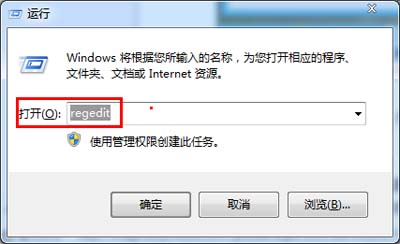
1. 開啟註冊表編輯器
按 Win+R 輸入 regedit 按 Enter。
2. 定位 Winlogon 鍵值
展開至:HKEY_LOCAL_MACHINE\SOFTWARE\Microsoft\Windows NT\CurrentVersion\Winlogon
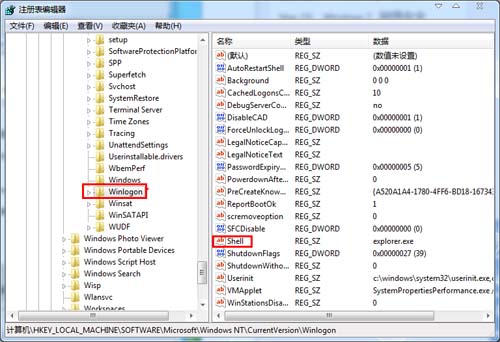
3. 修改 Shell 值
右鍵點擊右側的 shell,選擇「修改」,將數值資料從 explorer.exe 改為 explorer.exe,explorer.exe,確定。
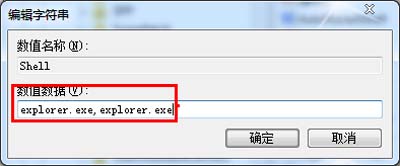
重新啟動電腦後,系統將直接進入傳統桌面。若想恢復預設,將值改回 explorer.exe 即可。
提示:修改註冊表有風險,建議操作前備份對應分支。