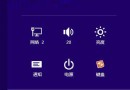
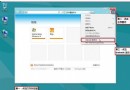
Windows 8 可自訂系統托盤時鐘的長/短時間格式,支援 12/24 小時制切換、AM/PM 標示替換、甚至加入個性化文字 (如「我愛 xx」)。
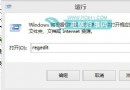
intl.cpl → Enter 開啟「地區」視窗。tt 可顯示 AM/PM (或自訂上/下午標示)。tt h:mm:ss → 顯示「上午 10:30:45」。
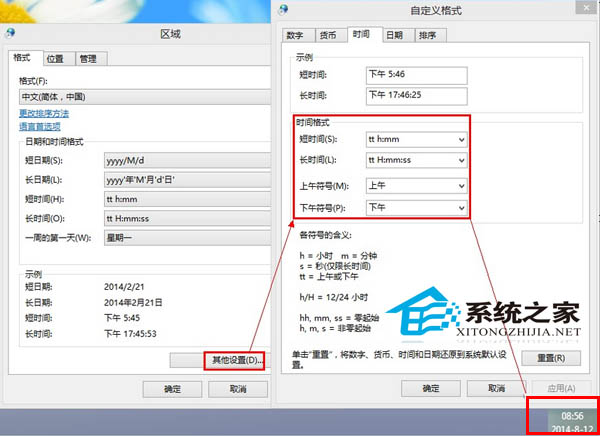
| 代碼 | 含義 | 範例輸出 |
|---|---|---|
h/hh | 12小時制小時 (不補零/補零) | 9 / 09 |
H/HH | 24小時制小時 (不補零/補零) | 14 / 14 |
m/mm | 分鐘 (不補零/補零) | 5 / 05 |
s/ss | 秒數 (不補零/補零) | 7 / 07 |
tt | 上下午標示 (AM/PM 或自訂) | 上午 / 下午 |
yyyy | 四位數年份 | 2024 |
M/MM | 月份 (不補零/補零) | 3 / 03 |
d/dd | 日期 (不補零/補零) | 8 / 08 |
HH:mm:ss → 14:30:45tt h:mm:ss → 下午 2:30:45tt h:mm "我愛寫代碼" → 下午 2:30 我愛寫代碼Win8 開機自動撥號寬帶連線:建立捷徑置入「啟動」資料夾圖文教學
官方解答 Win8.1 免費更新找不到原因:KB2871389 缺失、企業版授權限制
Windows 8 操作中心彈窗提示關閉教程:一鍵屏蔽煩人通知
Windows 8.1 查看 WinSxS 資料夾實際大小:DISM 指令精準分析
Windows 8 防毒防駭九大實務守則:郵件附件、SmartScreen、防毒軟體、防火牆、隱私設定、UAC 全方位防護
Windows 8 一鍵清除應用商店快取:WSReset 指令大法
Windows 8 與 OS X Lion 設計理念截然不同:Ribbon 化 Explorer 對決極簡 Finder