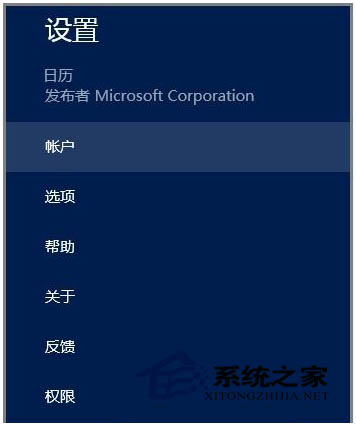
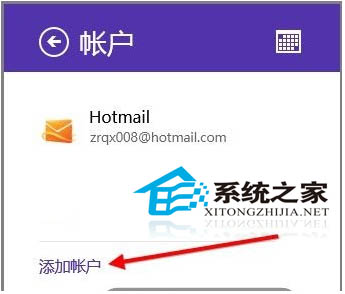
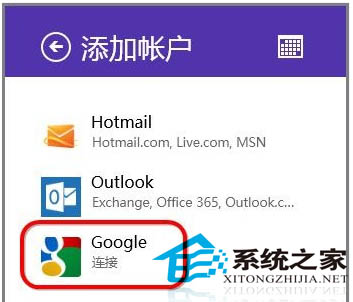
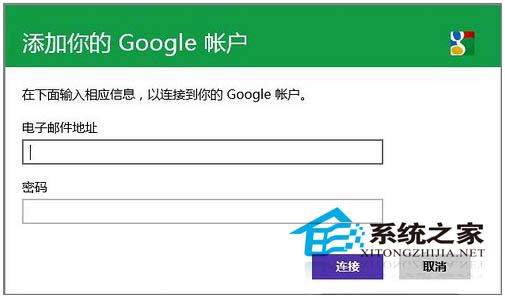
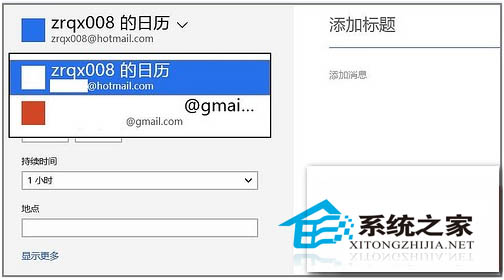
Win8 內建行事曆 App 支援新增 Google 帳號,新增/修改/刪除行程即時雙向同步,免來回登入兩邊行事曆。
支援 Hotmail/Outlook/Google 多帳號並行,行程管理零縫隙。
Win8 開啟下載檔案彈出「安全性警告」?群組原則關閉中等風險檔案提示
Win8 筆電 Fn+F8 (NumLock) 無法切換小鍵盤解決辦法
Win 8 設定桌面鎖定畫面壁紙 透過電腦設定→鎖定畫面選擇圖片
Win8 任務欄圖標合併/隱藏/不合併顯示模式完整設置教程
Windows 8 選擇 32 位元還是 64 位元?依據硬體規格與需求的完整判斷指南
Windows 8 變更網路位置(公用/私人)圖文教學:Charms 列三步搞定
Win8 快速關機熱鍵與隱藏選單位置:Alt+F4、Win+I、Charms 列電源鍵
Windows 8.1 調整視覺效果提升效能完整設定指南