Win8.1 桌面預設僅有回收站,IE 圖示需手動建立。透過「新增捷徑」指向 C:\Program Files\Internet Explorer\iexplore.exe 即可。
建立步驟
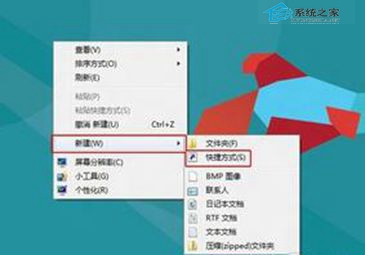
- 桌面右鍵 → 「新增」 → 「捷徑」。
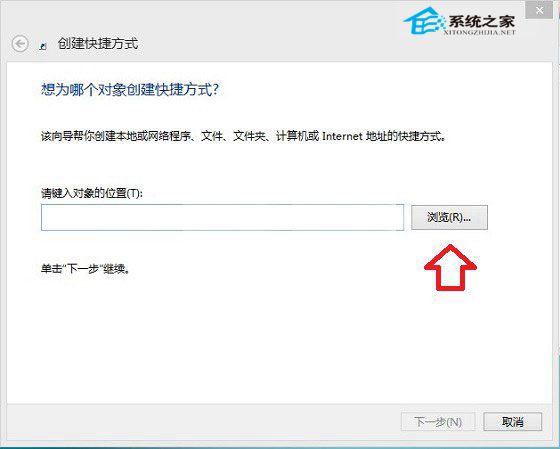
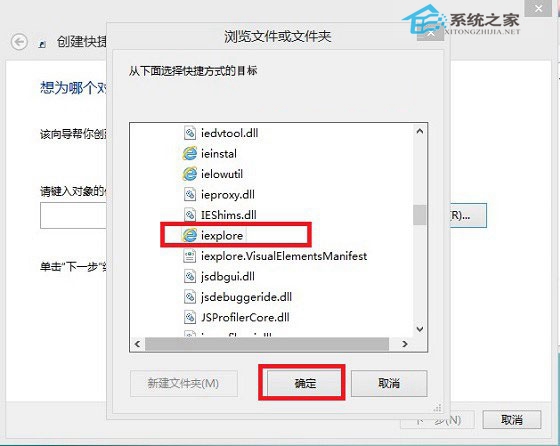
- 「瀏覽」 → 依序展開:這台電腦 → 本機磁碟 (C:) → Program Files → Internet Explorer → 選
iexplore → 確定。
- 下一步 → 命名「Internet Explorer」 → 完成。
- 右鍵捷徑 → 「釘選到工作列」或「釘選到開始畫面」。
習慣用 IE 的使用者可快速找回熟悉入口。