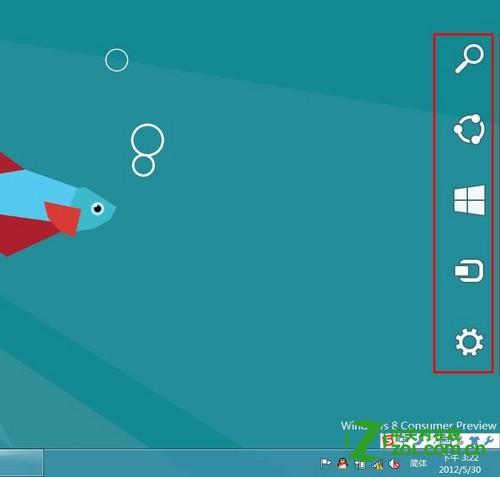
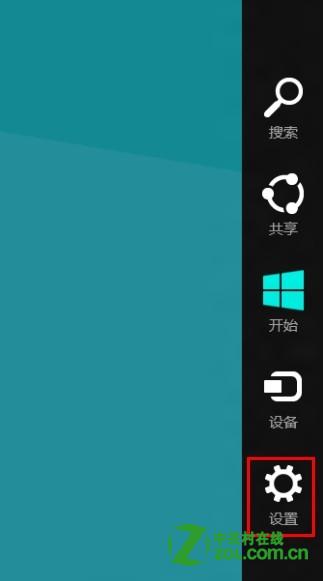
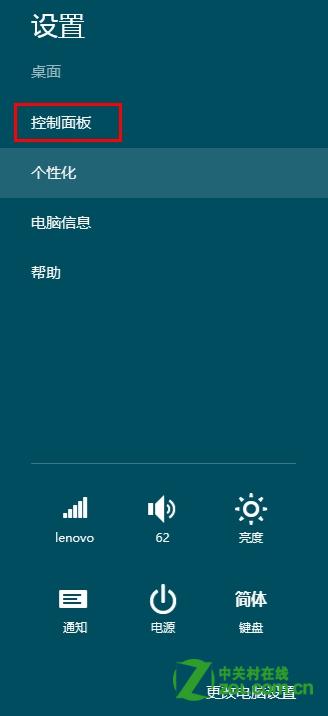
Windows 8 透過控制台「自動播放」設定,可全域關閉或依媒體類型自訂自動播放行為,防止惡意程式利用 Autorun 執行。
關閉總開關後,插入光碟/USB/記憶卡不再自動彈出播放/開啟視窗,需手動從檔案總管存取。若需保留特定裝置自動播放,可在下方個別媒體類型設定「每次詢問我」或指定應用程式。
Windows 8 Metro 社交應用登出技巧:QQ/微博三種登出路徑圖解
Windows 8 Build 7955 新特性總結:系統還原、虛擬光碟、Ribbon UI、郵箱漫遊登入、動態頭像
Windows 8 能玩什麼遊戲?相容性現況與產業佈局分析
Win8 快速切換應用程式三大絕招
製作 Windows 8 可開機修復 USB:內建「建立修復磁碟機」功能,關鍵時刻一鍵救援
Windows 8.1 Update 一鍵開啟磁碟空間設定頁面:自訂捷徑法
Windows 8 最值得期待的八大特性:128位元、雲端服務、應用商店、雙介面模式
Win8 玩 CF (穿越火線) 無法全螢幕?顯卡縮放設定調整法