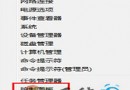
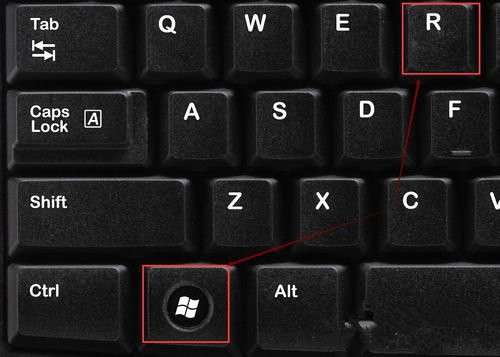
Win8 執行網路下載的 .exe 常彈出「安全性警告」視窗,透過群組原則將 .exe 加入「中等風險檔案類型包含清單」即可停用提示。Win + R → gpedit.msc →「使用者設定」→「系統管理範本」→「Windows 元件」→「附件管理員」→「中等風險檔案類型的包含清單」→「已啟用」→ 輸入 .exe →「套用/確定」,重開總管生效。
gpedit.msc (專業版/企業版可用)。.exe (可加分號擴充如 .exe;.msi;.bat) →「套用」→「確定」。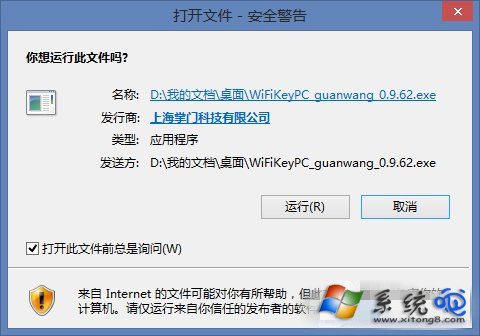
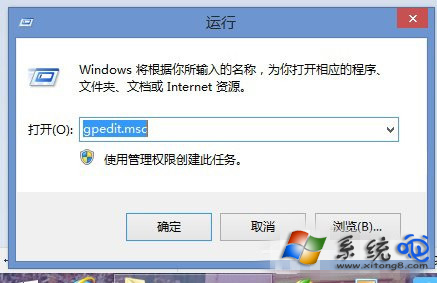
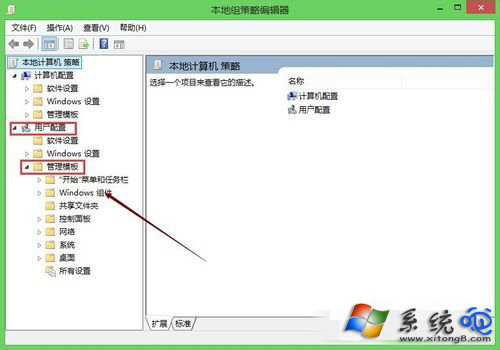
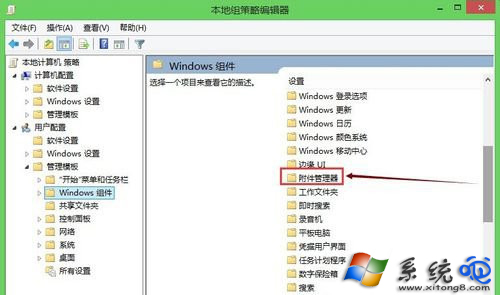
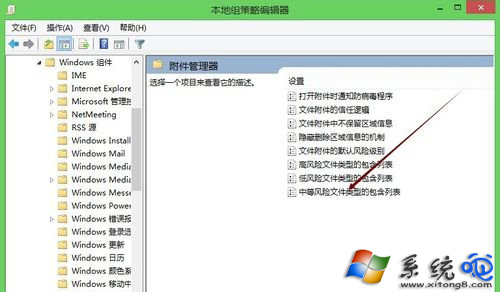
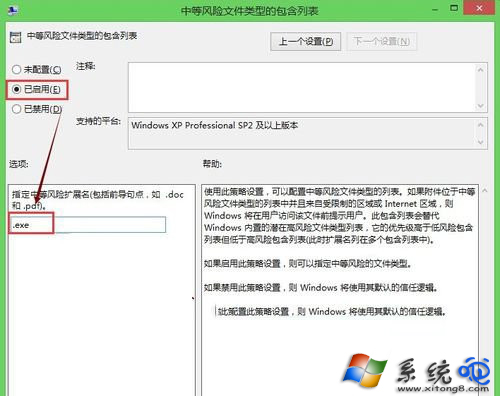
注意:關閉警告會降低安全性,僅建議對可信來源檔案操作;家用版無 gpedit.msc 可改修改登錄 HKEY_CURRENT_USER\Software\Microsoft\Windows\CurrentVersion\Policies\Associations\ModRiskFileTypes 字串值為 .exe。
Windows 8 海量圖賞:跨越 PC/平板、x86/ARM 統一介面體驗
Win8 修改 SkyDrive 儲存位置教學:避免 C 槽空間被雲端同步佔滿
Windows 8 註冊表技巧恢復經典開始選單:修改 RPEnabled=0 即可切回 Win7 風格
Windows 8 網路連線受限/無法連線?六大排查步驟徹底解決
Windows 7 預覽窗格:不開啟檔案即可閱讀 Word、Excel、PPT、影音內容
Windows 8 鎖定畫面支援自訂背景:修改 basic.theme 設定檔將桌面壁紙同步至鎖定介面
Win8 應用商店下載報錯 0x80073CF9?重命名 Spupdsvc.exe + sfc 修復 + 建立 AppReadiness 資料夾