Windows XP Windows 7 Windows 2003 Windows Vista Windows 綜合教學 Linux 系統教學
Windows 10 Windows 8 Windows 2008 Windows NT Windows Server 電腦軟體教學

Windows 8 / 8.1 缺少 mscomctl.ocx 解決方案:下載、註冊、32/64 位元路徑完整教學

編輯:Windows 8 系統介紹

問題現象

安裝舊版軟體(VB6 時代應用程式)後執行提示「找不到 mscomctl.ocx」或「元件遺失」。

mscomctl.ocx 簡介

Microsoft Common Controls 6.0 核心元件,提供 TreeView、ListView、TabStrip、ProgressBar 等常用 ActiveX 控制項。Windows 8/8.1/10/11 預設不再內建,需手動部署。

四步驟完整解決

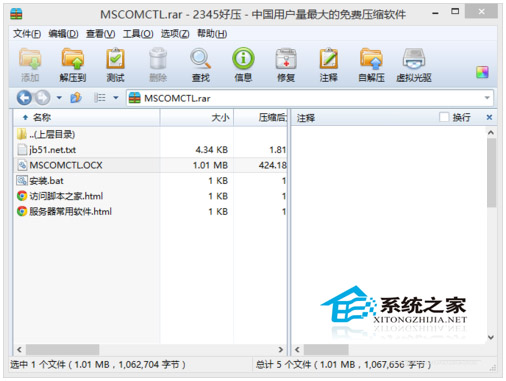
  1. 下載:搜尋「mscomctl.ocx 下載」取得檔案(建議從 Microsoft 官方下載中心或可信任來源)。
  2. 解壓並複製至正確系統資料夾:
    • 32 位元系統:C:\Windows\System32
    • 64 位元系統:C:\Windows\SysWOW64(注意:64 位元系統執行 32 位元程式會重導向至此)
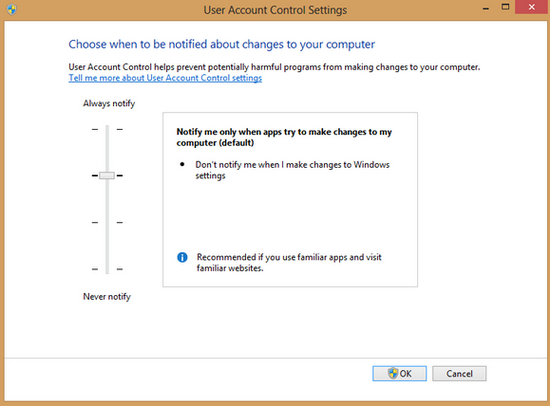
  3. 管理員權限複製:貼上時會彈出 UAC 提示,選擇「繼續」。
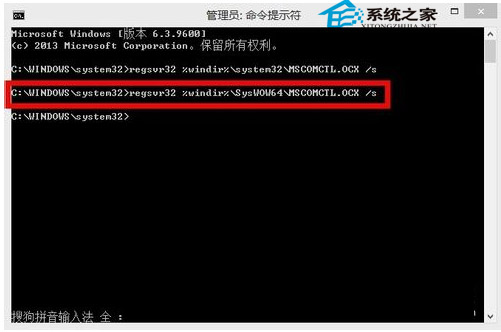
  4. 以系統管理員身分執行命令提示字元註冊:
    • 32 位元系統 / 64 位元系統註冊 32 位元元件:
      regsvr32 %windir%\SysWOW64\mscomctl.ocx
    • 64 位元系統註冊 64 位元元件(罕見):
      regsvr32 %windir%\System32\mscomctl.ocx
下載 mscomctl.ocx

管理員權限複製與註冊

通用原則

相同步驟適用於任何 .dll、.ocx 遺失問題:確認系統位元數 → 放入正確資料夾 → 管理員權限註冊。

常見錯誤

  • 64 位元系統誤放入 System32 導致 32 位元程式找不到。
  • 未以系統管理員身分執行 regsvr32 導致「模組載入失敗」。
  • 檔案版本不符(建議使用 6.0.98.34 版)。
Copyright © Windows教程網 All Rights Reserved