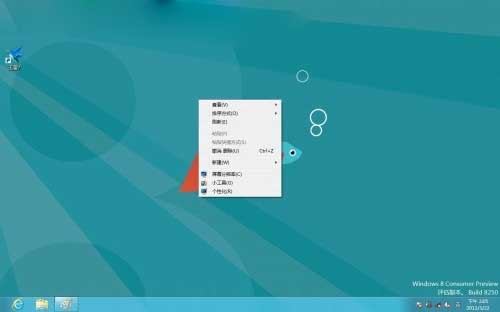
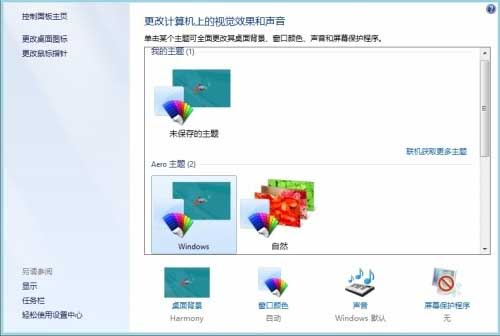
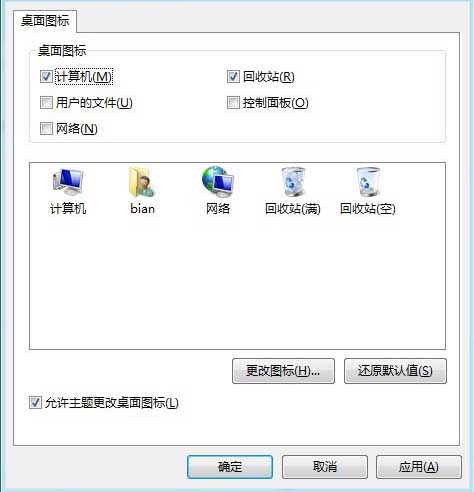
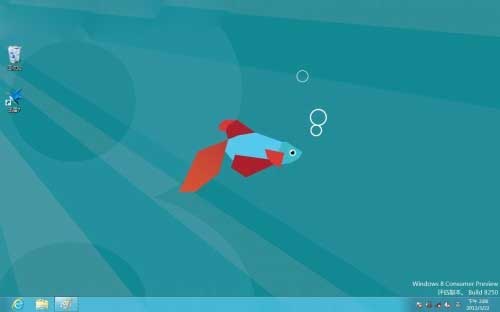
Windows 8 預設桌面不顯示「電腦」(我的電腦) 圖示,需手動開啟:
同樣可勾選「使用者的檔案」、「網路」、「回收站」、「控制台面板」等常用圖示,打造習慣的桌面環境。
Windows 8 將 IE10 圖示釘選至桌面兩種快速方法
Win8 提高螢幕解析度:登錄修改 Display1_DownScalingSupported 突破硬體限制
你必須知道的 Windows 8 安全新功能:Secure Boot、SmartScreen、整合式 Defender
Win 8 還原出廠設定完整指南:保留檔案重設 vs 完全清理磁碟機兩種模式選擇與操作流程
Win8 刪除所有還原點:釋放磁碟空間圖文教學
Win8 建立 PPPoE 寬帶連線完整圖文教學:從網路圖示到桌面捷徑
Windows 8 應用程式商店顯示「未連線到網際網路」?修改 DNS 為 8.8.8.8 秒解
Windows 8 愛奇藝播放失敗「呃,播放失敗」:關閉網維大師網路攻擊防禦或移除 ARP 驅動