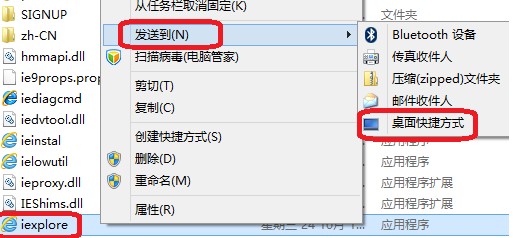
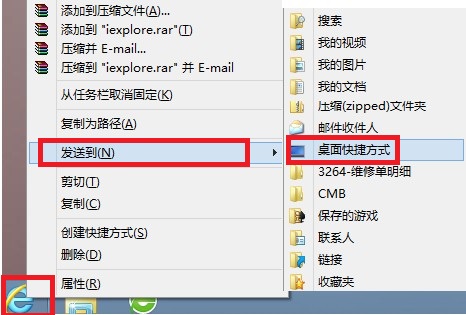
C:\Program Files\Internet Explorer
C:\Program Files (x86)\Internet Explorer
iexplore.exe
新浪新聞 HD 登陸 Windows 8:觸控時代的閱讀新體驗
Windows 8 Consumer Preview 正式開放下載:32/64 位元中文版連結與需求
微軟詳細闡述 Windows 8 全新使用者介面:無邊框、應用全螢幕、動態磚塊取代圖示
Windows 8 快速登出 QQ/社交應用兩大法:AppBar 登出鍵與點擊頭像切換狀態登出
快速掌握 Win8 常用觸控手勢操作
Win8 變更桌面資料夾實體路徑:避免系統異常導致桌面檔案遺失
讓舊版桌面軟體在 Win8/8.1 相容執行的完整方案
Windows 8 修改日期、時間與數字格式完整教學