非官方測試顯示 Win7 開機 43 秒 vs Vista 2 分鐘,體感操作更順暢。Vista/XP 可透過優化接近 Win7 體驗:
- 更快開機:
- 記憶體升級至 2GB+ (1GB 太少)。
- Startup Delayer 設定次要程式開機 10-15 秒後啟動,大幅縮短進入桌面時間。下載:newhua.com/soft/51503.htm
- 系統老舊則重灌 (格式化+重裝) 效果最佳。
- 更好的 UAC 體驗:Vista UAC 彈窗頻繁。可關閉 UAC 改用 Norton UAC Tool 替代,提供「不再詢問」選項,靈活度高。下載:newhua.com/soft/74600.htm
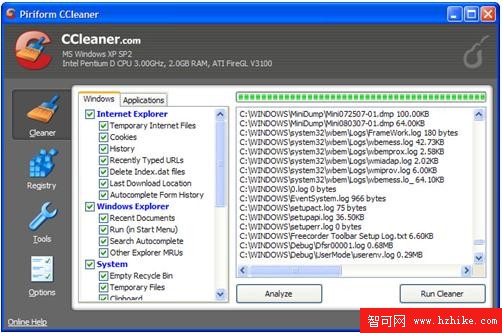
- 更快執行速度:PC World 測試 Win7 與 Vista 執行速度幾乎相當,「感知塑造現實」。Vista 優化首推 CCleaner 清理暫存檔/無用登錄/釋放磁碟空間,提升整體效能。下載:newhua.com/soft/46616.htm
- 更少系統通知干擾:
- Vista:註冊表
HKEY_CURRENT_USER\Software\Microsoft\Windows\CurrentVersion\Explorer\Advanced → 新增 DWORD EnableBalloonTips=0 → 重開機關閉氣球提示。
- XP:用 Microsoft TweakUI 設定工作列/開始功能表提示氣球。下載:newhua.com/soft/26929.htm
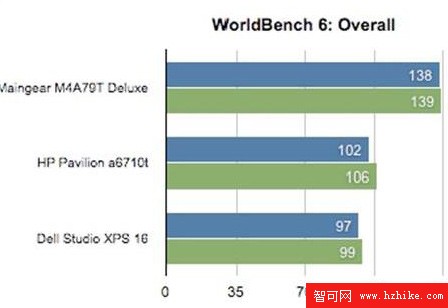
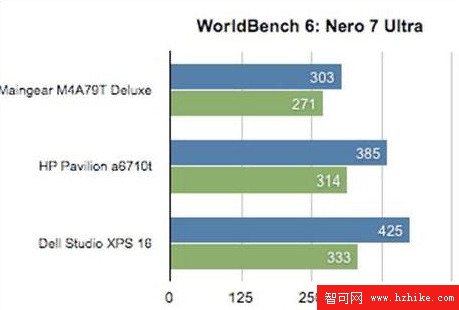
Win7 RTM 7/13 完成,10/22 上市,零售價格即將公布。