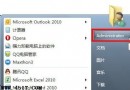
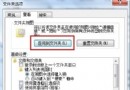
覆蓋安裝 Win7 未格式化 C 槽,舊系統資料夾雖刪除但開機選單仍殘留。兩法移除:
執行 msconfig → 「開機」頁籤 → 刪除多餘項目、設定預設作業系統。
msconfig
管理員身分開啟 CMD → 執行: bcdedit /set {default} description "Windows 7" 修改預設項目描述,配合 bcdedit /delete {舊項目識別碼} 刪除多餘項目。
bcdedit /set {default} description "Windows 7"
bcdedit /delete {舊項目識別碼}
建議先用 msconfig 直觀操作,bcdedit 適合腳本自動化。
Win7 關閉 Aero 效能優化:停用透明效果或切換標準主題
Windows 7 關閉錯誤報告彈出視窗:修改登錄一鍵靜默
Windows 7 下架設 CVSNT 伺服器:命令行建立倉庫、用戶權限與環境變數完整教學
Windows 7 軟體相容性優異:超過 80 萬應用程式可運行,通過 Logo 認證近萬款
Windows 7 隱藏 C 槽防熊孩子誤刪:群組原則「僅限制磁碟機 C」保護系統分區
如何查看電腦 BIOS 版本?三種方法快速檢查
Win7 關閉/移除不需系統元件:精簡系統、釋放資源、提升老筆電/上網本效能
Win 7 更新補丁完全指南:內建 Windows Update 足矣,第三方工具可卸載