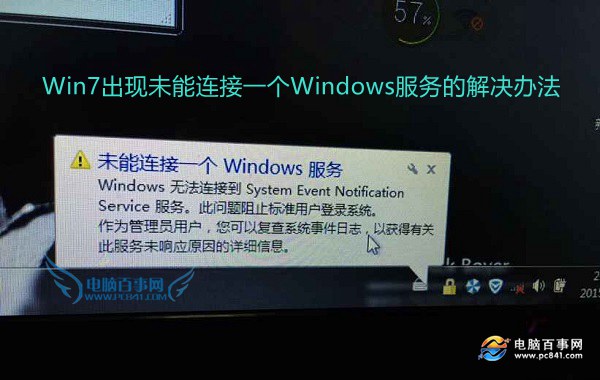
Windows 7 開機緩慢並彈出「未能連接一個 Windows 服務」,主因 System Event Notification Service (SENS) 被誤停用 (常由優化軟體關閉開機項導致)。三步命令列指令即可修復。
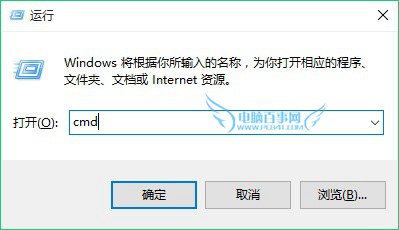
cmd
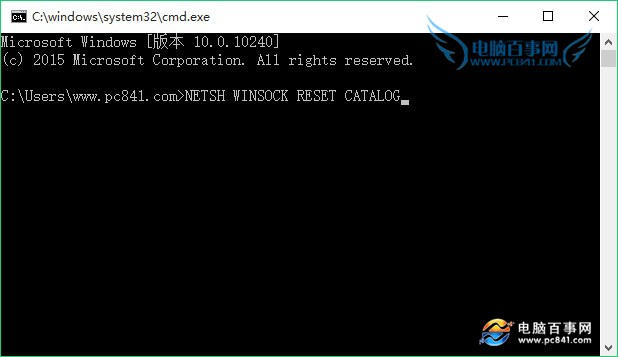
NETSH WINSOCK RESET CATALOG
若修復後問題重現,請解除安裝所有第三方安全/優化軟體 (360、金山、百度衛士等),這類軟體常誤關鍵系統服務導致此錯誤。
Windows 7 3D 視窗切換 (Flip 3D) 三種啟用方式與故障排除
Win7 視力保護色:將視窗背景改為護眼綠(Hue 85, Sat 123, Lum 205)
Win7 直接查看系統開機時間:事件檢視器篩選 EventLog 來源,精確到秒
無線網路 54M vs 動態 108M vs 靜態 108M:Super G 技術深度解析
Win7「程式庫」功能全攻略:跨資料夾聚合管理,文件/照片/音樂/影片一網打盡
Windows 7 採用 XML 格式儲存日誌的四大優勢(下)
Windows 7 漫畫專輯:步步為營,保衛遊戲帳號(一)
安裝 Win 7 用錯硬碟分割工具的後果