部分 Windows 7 使用者發現使用 KMPlayer 播放影片時,桌面視覺效果 (Aero Glass) 會自動關閉,切換至 Windows 7 基本配色,播放結束後也不自動恢復。這是因為 KMPlayer 預設的視訊渲染器與 DWM (Desktop Window Manager) 衝突導致。只需變更渲染器即可徹底解決。
解決步驟
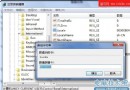
- 開啟 KMPlayer,右鍵點選畫面或按 F2 開啟「選項/設定」。
- 展開左側樹狀選單:視訊 (進階) → 視訊渲染器。
- 在右側清單中選擇 VMR9 (Windowed / 視窗模式)。
- 點擊 確定 儲存設定,重新播放影片即可保持 Aero 效果。
原理說明
- VMR9 (Windowed):使用 DirectX 9 視窗化渲染,與 DWM 共享表面相容,不會觸發 Aero 關閉。
- 其他渲染器 (如 Overlay Mixer、VMR7、EVR Custom 等) 在特定顯示卡驅動下可能獨佔繪圖表面,導致 DWM 停止桌面合成。
此設定對畫質無負面影響,且可避免全螢幕切換時的閃爍與延遲。建議所有 KMPlayer on Windows 7 使用者套用。