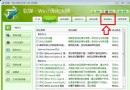
Win 7 導覽窗格樹狀結構預設無明顯標示當前資料夾,可自行加入圖示標記:
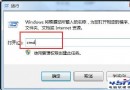
regedit
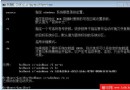
HKLM\SOFTWARE\Microsoft\Windows\CurrentVersion\explorer\ShellIcons
4
Win7 開機卡住 / 安全模式卡在 disk.sys 完美解決(DiskPart 轉 MBR)
Windows 7 分區策略新思維:程式庫取代多分區、備份機制完善、雙分區過渡方案
Win7 瀏覽器列印選取內容:IE 列印指定範圍節省紙張環保
Windows 7 利用群組原則隱藏 D 磁碟機
Win7 睡眠/休眠/混合睡眠模式詳解:依離開時長自主選擇,關閉混合睡眠喚醒休眠選項
Win7 找回快速啟動列:建立工具列掛載 Quick Launch 資料夾完整教學
Win7 防火牆深度解析 (上):發展史、三種網路位置、多模式並行、進階安全 MMC
Win7 響應速度再提升 10 招:關動畫、精簡啟動/關機、刪字體、關搜索/聲音/Aero/服務、加速任務列預覽