Windows XP Windows 7 Windows 2003 Windows Vista Windows 綜合教學 Linux 系統教學
Windows 10 Windows 8 Windows 2008 Windows NT Windows Server 電腦軟體教學

Win7 隱藏光碟機:登錄新增 NoDrives 二進位值實現

編輯:Win7 常見問題解答

需隱藏光碟機圖示 (如防止誤觸、美觀、資安) 但不想在裝置管理員停用裝置?透過登錄 NoDrives 二進位值可隱藏指定磁碟機代號,系統仍可存取,僅總管不顯示。

隱藏光碟機步驟 (以隱藏 D: 為例)

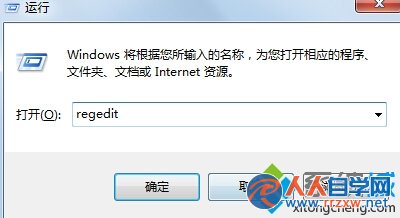
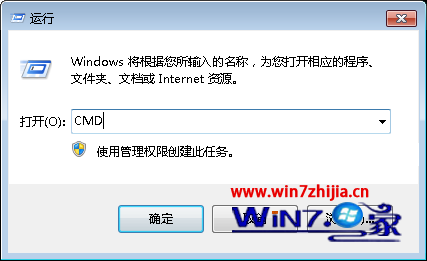
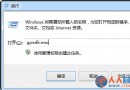
  1. Win+R > regedit。
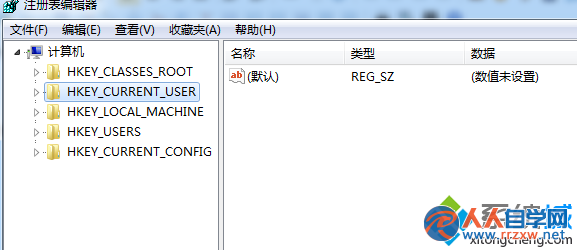
  2. 定位至:
    HKEY_CURRENT_USER\Software\Microsoft\Windows\CurrentVersion\Policies\Explorer
  3. 右側空白處右鍵 > 「新增」> 「二進位值」,命名為 NoDrives。
  4. 雙擊修改,數值資料為 16 進位位元遮罩:
    每個位元對應一個磁碟機 (Bit 0=A:, Bit 1=B:, Bit 2=C:, Bit 3=D: ...)。
    隱藏 D: (Bit 3) => 數值 08 00 00 00 (小端序)。
    隱藏 C: (Bit 2) => 04 00 00 00。
    隱藏 C: 和 D: => 0C 00 00 00。
    原文建議值 00 00 00 00 為不隱藏任何磁碟機,請依需求計算正確遮罩。
  5. 按「確定」,登出/重開機生效。
執行 regedit
Explorer 原則路徑

計算工具:可使用線上「NoDrives 計算器」或自行換算。恢復顯示:刪除 NoDrives 值或設為 00 00 00 00。

Copyright © Windows教程網 All Rights Reserved