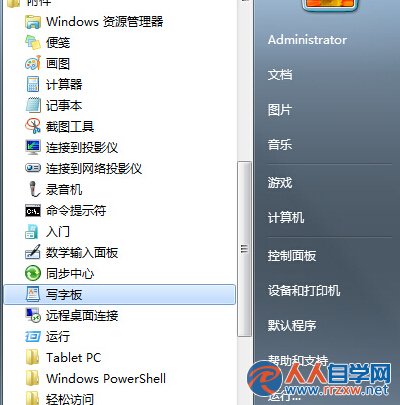
wordpad
書寫板支援手寫筆/滑鼠手寫輸入中英文、符號,適合不習慣鍵盤輸入或需手寫簽名、草繪的使用者。儲存格式為 .rtf,可用 Word 開啟編輯。
Win7 Protel 99 SE 無法加入庫檔案?專用小工具輔助添加 SchLib/PcbLib
解決 HP LaserJet P1008 在 Win7 64 位元無法安裝驅動程式
Windows XP / 7 設定開機密碼完整教學:保護電腦隱私與安全
Windows 7 資源管理器假死/無回應五大情境與解決對策
Windows 7 遠程桌面連接傳輸文件:啟用本地磁碟映射實現複製貼上
阻止 Win 7 自動安裝驅動程式:三種方法讓你掌控驅動安裝時機
Win7 關閉 360 安全衛士 Ctrl 快捷搜尋功能:三步移除工具欄圖示
Win7 電腦變慢卡頓 六大優化加速方案 從磁碟整理到虛擬記憶體