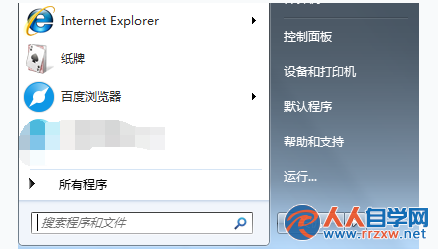
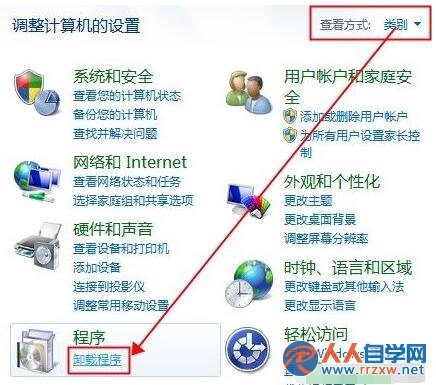
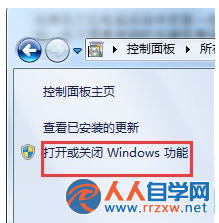
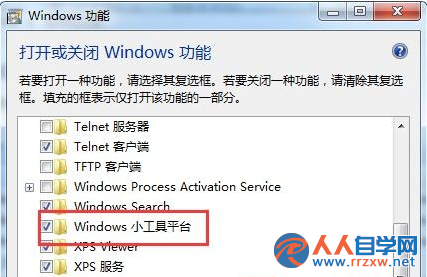
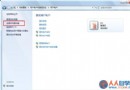
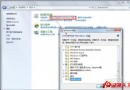
Windows 7 桌面右鍵選單若缺少「小工具」選項,代表 Windows 小工具平台 功能被關閉。透過「開啟或關閉 Windows 功能」重新啟用即可恢復。
勾選完成點確定後,系統會自動安裝相關元件,稍待片刻桌面右鍵選單即會出現「小工具」選項,可再次加入時鐘、行事曆、CPU 監測等桌面小工具。
Win7 升級後無法全螢幕顯示?調整螢幕解析度至建議值修復
Win7 修改電腦名稱(用戶名稱/計算機名稱)不重裝系統完整教學
Win7控制台打不開?兩大原因與對應修復方法
Win7 下載大檔案頻繁斷線?關閉網卡省電功能徹底解決
Win7 如何建立一鍵開啟/關閉休眠捷徑?powercfg 指令批次檔教學
Win7 啟用離開模式:註冊表新增 AwayModeEnabled 讓睡眠鍵進入背景運作狀態
Windows 7 家用版批量移除檔案唯讀屬性:CMD 單指令搞定
Win7 顯示檔案副檔名:資料夾選項一鍵設定,防誤執行惡意程式