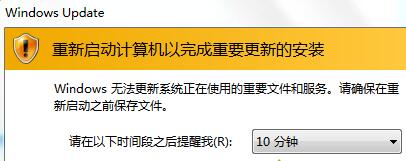
開機/關機卡住「正在設定 Windows Update」或彈出更新視窗,嚴重影響效率。提供「暫停更新」與「群組原則禁用」兩種層級解決方案。
方法一:暫停更新 (輕量)
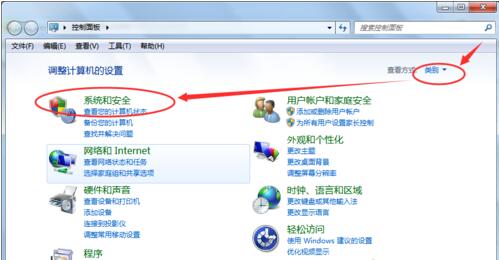
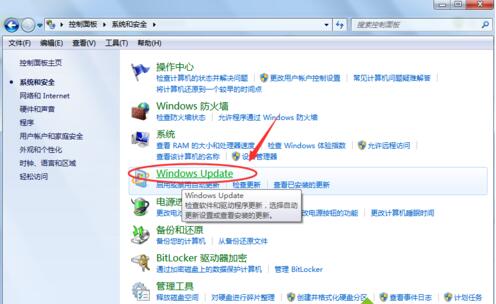
- 控制台 →「系統與安全性」→「Windows Update」→「變更設定」。
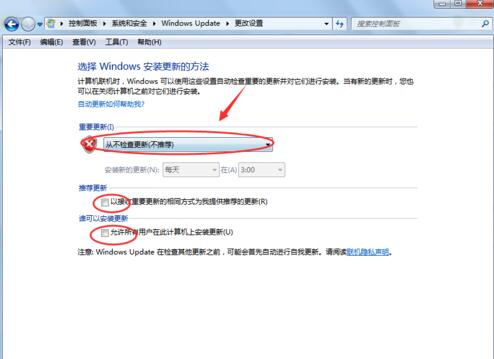
- 「重要更新」選「從不檢查更新」(不建議長期) 或「讓我選擇是否下載/安裝」。
- 取消勾選「給我建議的更新方式相同」、「允許所有使用者安裝更新」→ 確定。
方法二:群組原則徹底禁用 (旗艦/企業版)
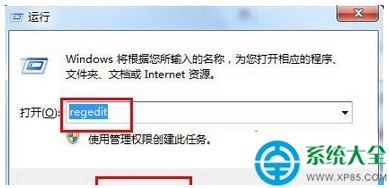
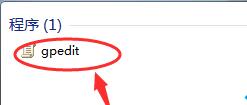
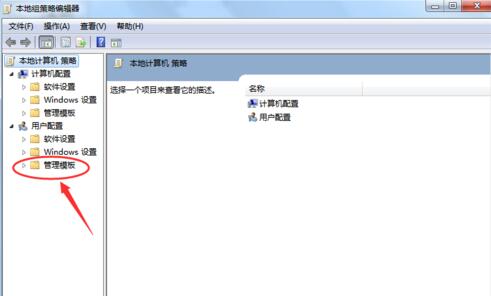
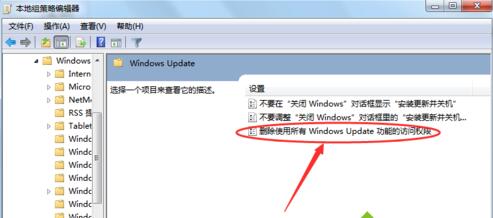
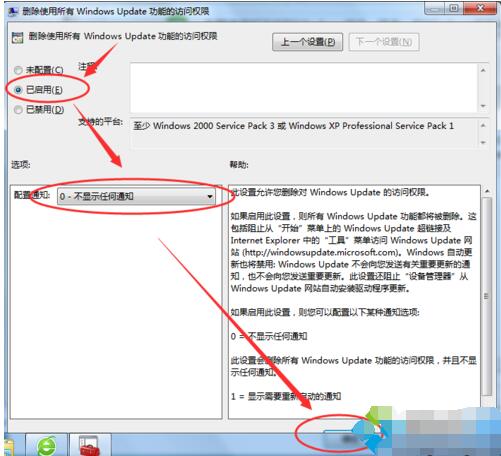
gpedit.msc →「使用者設定」→「系統管理範本」→「Windows 元件」→「Windows Update」。- 雙擊「移除存取所有 Windows Update 功能的權限」→「已啟用」。
- 「設定通知」選「不顯示任何通知」→ 確定 →
gpupdate /force 或重開機。
建議:長期禁用更新將錯過安全性修補,建議改為「手動檢查更新」,每月定期安裝重要安全性更新,平衡安全與自主權。