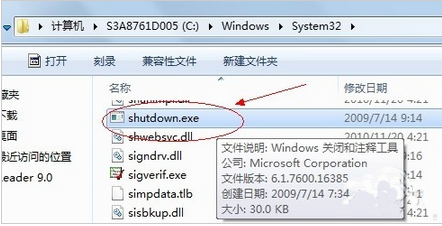
Windows 7 內建「工作排程器」可建立定時關機任務,無需第三方軟體。透過呼叫系統關機程式 shutdown.exe 並帶入參數,即可實現每日/每週/單次定時自動關機。
C:\Windows\System32\shutdown.exe-s -f -t 0-s:關機-f:強制關閉應用程式(不等待使用者確認)-t 0:等待 0 秒立即執行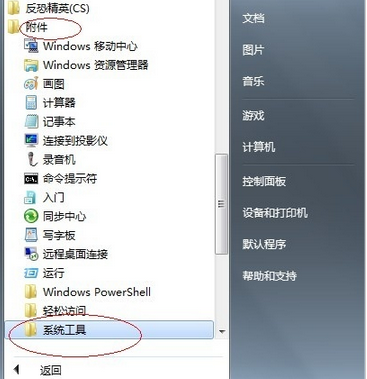
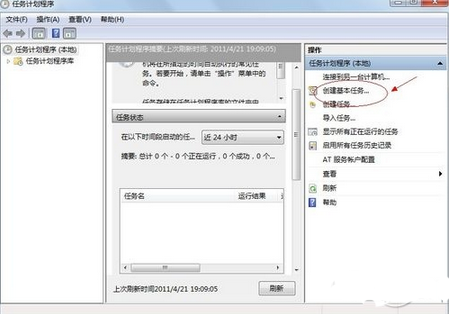
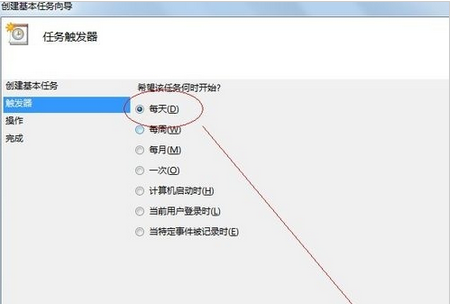
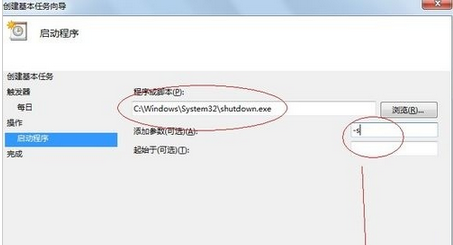
shutdown /a 中止。-r 重新開機、-h 休眠、-l 登出。單次臨時定時關機,可直接在「執行」(Win+R)或命令提示字元輸入:
shutdown -s -t 3600 (3600 秒 = 1 小時後關機)
使用工作排程器建立定時關機任務,Win7 使用者即可享受系統級、免安裝、靈活排程的自動關機功能,適合定時下載、夜間備份、節電等場景。