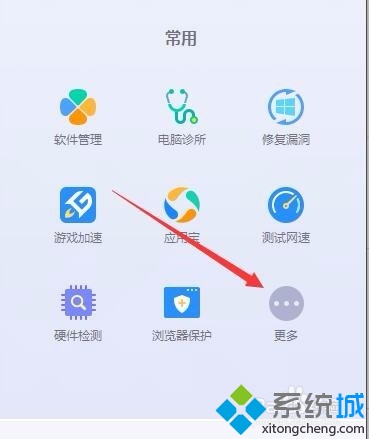
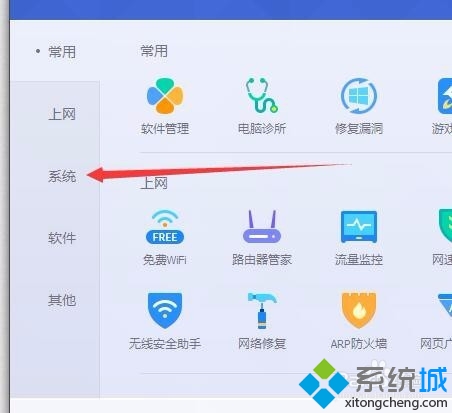
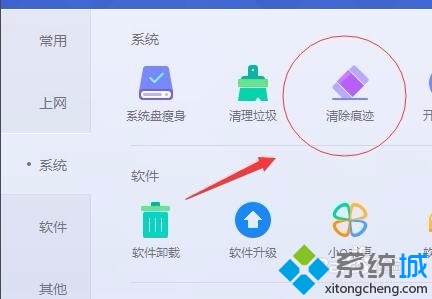
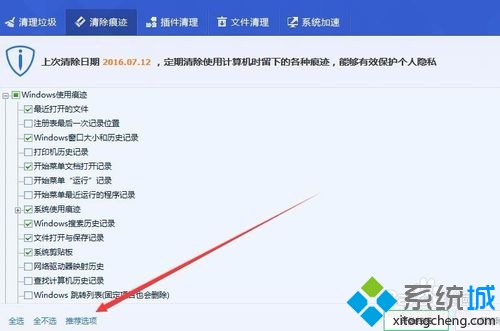
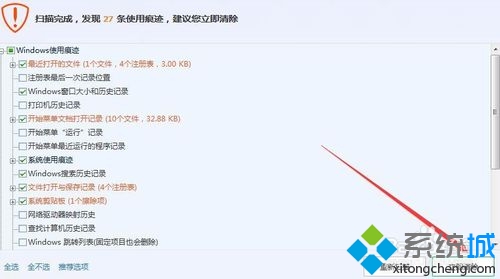
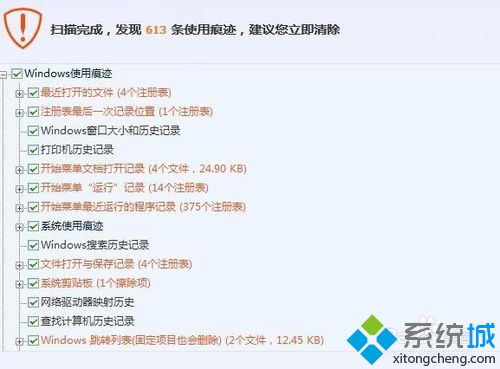
騰訊電腦管家內建「清除痕跡」功能,可一鍵掃描並清理瀏覽器歷史、最近開啟檔案、執行紀錄、暫存檔等隱私資料。以下是詳細操作流程。
定期清理使用痕跡不僅保護隱私,亦能釋放磁碟空間、提升系統回應速度。
Windows 7 查看與修改電腦名稱、網域、工作群組圖文教學
Win7 刪除檔案提示「您需要權限來執行此動作」權限修復教學
Win7 無線網路「有限的存取權限」完整排查:網路位置、靜態 IP、DHCP 重置、驅動更新
螢幕右下角燈閃爍、主機開不了機?記憶體/顯卡/線材重插大法
Win7 驅動程式備份與還原:駕駛精靈一鍵備份全硬體驅動,重灌免愁
Win7 Photoshop 修改 GIF 文字後無法播放?圖層合併與幀動畫重建教學
Win7 開啟 Caps Lock/Num Lock 聲音提示:輕鬆存取中心一鍵設定
Win7 降級安裝 XP 系統:OneKey Ghost 硬碟安裝法圖文詳解