Windows XP Windows 7 Windows 2003 Windows Vista Windows 綜合教學 Linux 系統教學
Windows 10 Windows 8 Windows 2008 Windows NT Windows Server 電腦軟體教學

Win7 移除桌面捷徑小箭頭:CMD 註冊表指令法與殺毒軟體一鍵優化法

編輯:Win7 系統應用技巧

Windows 7 桌面捷徑預設帶有小箭頭標誌,若追求極簡視覺可透過註冊表修改或安全軟體一鍵移除,兩種方法擇一即可。

方法一:CMD 指令修改註冊表 (原生、無殘留)

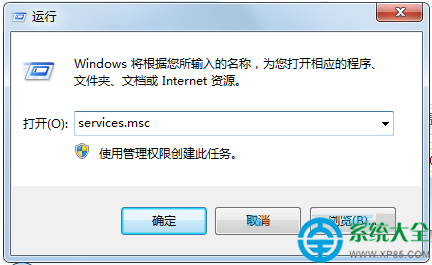
  1. Win+R → 輸入以下完整指令 (單行) → Enter:
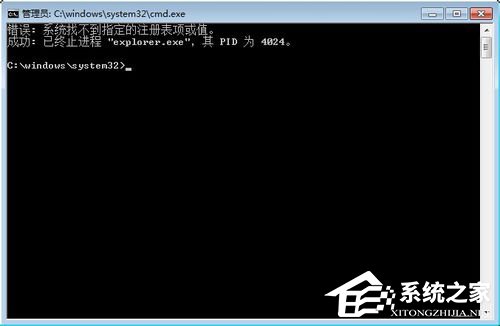
    cmd /k reg delete "HKEY_CLASSES_ROOT\lnkfile" /v IsShortcut /f & taskkill /f /im explorer.exe & start explorer.exe
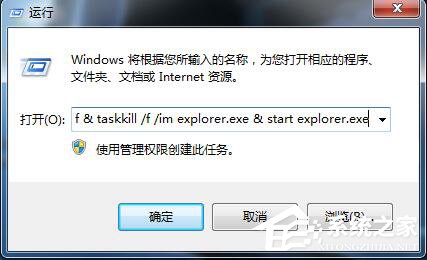
  2. 命令提示字元視窗顯示「The operation completed successfully」即代表成功,explorer.exe 會自動重啟,桌面捷徑小箭頭消失。

恢復小箭頭:同樣執行 cmd /k reg add "HKEY_CLASSES_ROOT\lnkfile" /v IsShortcut /f & taskkill /f /im explorer.exe & start explorer.exe

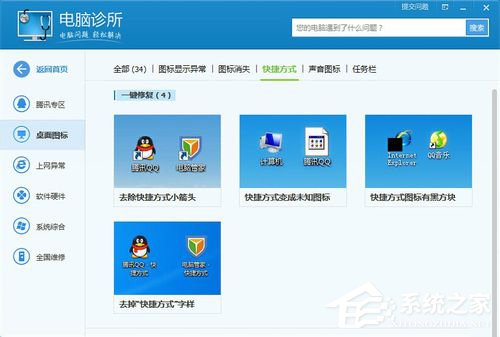
方法二:殺毒/優化軟體一鍵移除 (圖形化、適合新手)

  1. 開啟電腦管家 / 360 安全衛士 / 火綠等 →「工具箱」/「優化加速」/「電腦門診」。
  2. 搜尋/選擇「捷徑小箭頭」/「去除快捷方式箭頭」→「立即修復」/「一鍵優化」。

注意事項

  • 移除小箭頭後,捷徑與原始檔案視覺上無區別,請謹慎操作避免誤刪原始檔。
  • 系統更新/修復可能重置此設定,需重新執行。
  • 方法一為標準註冊表修改,不安裝額外軟體,推薦進階用戶使用。
Copyright © Windows教程網 All Rights Reserved